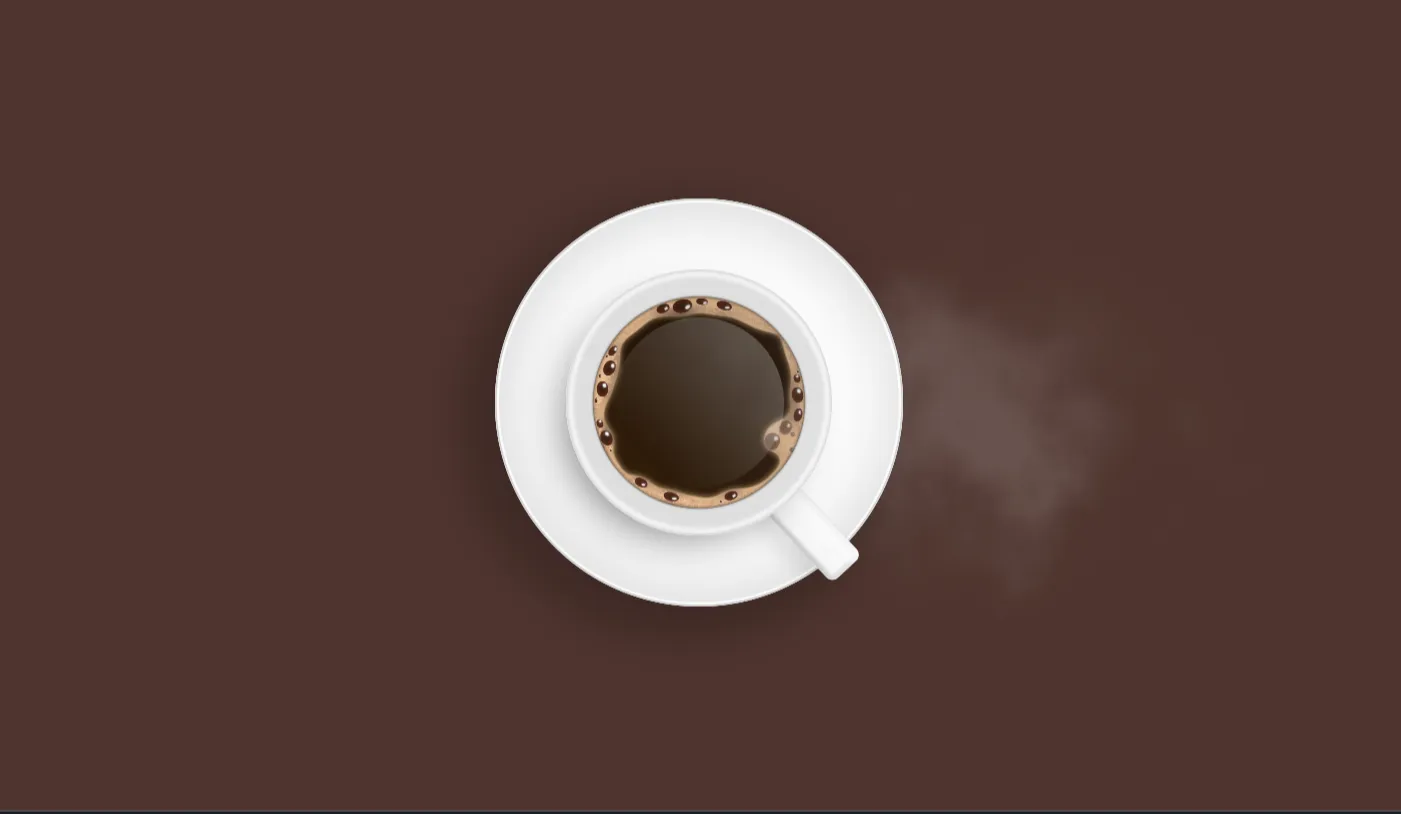
Interactive web experiences have evolved far beyond flat images and standard layouts. Modern users demand immersive, tactile digital journeys, and 3D web design sits at the absolute forefront of this transformation. Coffee for You is a cutting-edge, open-source frontend web project published on CodeTap that bridges the gap between creative 3D rendering and functional user interface design. Built specifically for modern web browsers, this project showcases how to seamlessly merge real-time 3D graphics with standard responsive web frameworks.
Created using Three.js, vanilla JavaScript, Bootstrap 5, HTML5, and CSS3, Coffee for You represents a complete landing page solution tailored for modern cafes, artisanal coffee brands, and digital storefronts. The project was conceived to solve a common challenge faced by frontend developers and UI designers: how to introduce 3D elements into a production-ready website without sacrificing mobile responsiveness, page loading performance, or user accessibility.
By offering a clean, modular, and highly commented codebase, this project acts as both a practical web application and an invaluable educational resource. Developers can dissect the rendering pipeline, manipulate lighting and materials in real-time, and customize layout components with ease. Whether you are looking to elevate your personal portfolio, learn WebGL rendering through Three.js, or launch a client project, this repository provides a robust, production-ready foundation that accelerates development workflows.
Key Features
Real-Time 3D Rendering
Smooth 3D coffee cup and scene rendering powered by WebGL and Three.js running directly in the browser.
Interactive Camera Controls
Users can rotate, pan, and zoom around the 3D model using intuitive mouse drag and touch gestures.
Fully Responsive Design
Constructed with Bootstrap 5 grid utilities to ensure flawless rendering across mobile, tablet, and desktop viewports.
Dynamic Lighting Setup
Configured ambient, directional, and spot lighting systems that enhance realistic shadows and metallic highlights.
Optimized Asset Loading
Lightweight 3D model geometry and compressed textures ensure rapid initial page load times and minimal lag.
Smooth Scroll Animations
Integrated JavaScript event listeners sync 3D object rotation and scaling with standard page scrolling actions.
Clean Modular Architecture
Decoupled HTML layout, custom CSS properties, and JavaScript modules make customization straightforward and painless.
Cross-Browser Compatibility
Thoroughly tested to run reliably across Chrome, Firefox, Safari, Edge, and modern mobile browsers.
Technologies Used
HTML5
The foundation of the project relies on semantic HTML5 markup. It provides structural integrity, enhancing SEO discoverability and screen reader accessibility. Main content sections, navigation header markup, interactive canvas tags, and footer elements are organized according to modern web standards.
CSS3
Custom CSS3 styles complement the framework defaults by adding specialized color palettes, typography rules, glassmorphism overlays, and smooth transition properties. CSS variables are implemented throughout the stylesheet, allowing developers to globally update theme colors with minimal effort.
Bootstrap 5
Bootstrap 5 serves as the core UI component and layout engine. Utilizing its mobile-first flexbox and grid systems, the template maintains alignment across varying device display dimensions. Removing jQuery dependencies ensures lightweight performance and frictionless integration with modern JavaScript frameworks.
JavaScript & Three.js
Vanilla JavaScript orchestrates the DOM interactions, scroll behavior, and animation loops. Three.js—a powerful WebGL wrapper library—is utilized to build the 3D scene, manage perspective cameras, render realistic materials, and calculate real-time lighting physics within the designated HTML5 canvas container.
How It Works
The underlying workflow of Coffee for You integrates standard WebGL rendering pipeline concepts into a traditional DOM layout:
-
Canvas InitializationThe JavaScript application selects the target HTML `` element and initializes a Three.js `WebGLRenderer` with anti-aliasing enabled for sharp, smooth edges.
-
Scene and Camera SetupA `THREE.Scene` instance is instantiated alongside a `PerspectiveCamera`. Field of view, aspect ratio, and clipping planes are computed dynamically based on the user's viewport width and height.
-
Model and Material Loading3D assets (such as the coffee cup mesh) are imported using Three.js loaders. PBR (Physically Based Rendering) materials are applied to give surfaces realistic reflection, roughness, and depth.
-
Animation and Render LoopA continuous `requestAnimationFrame` loop updates object coordinates, light intensities, and user orbit controls, redrawing the 3D frame up to 60 or 120 times per second for fluid interaction.
Benefits Across Disciplines
| User Group | Primary Value Proposition | Key Takeaway / Outcome |
|---|---|---|
| Students | Hands-on exposure to practical WebGL and 3D web graphics principles. | Bridges theoretical math/geometry concepts with real-world JavaScript applications. |
| Developers | Clean boilerplate combining a popular CSS framework with Three.js. | Saves dozens of setup hours when building client landing pages or experimental web apps. |
| Designers | Visual inspiration for interactive user experiences and spatial web design. | Helps conceptualize 3D UI layouts before handing off assets to engineering teams. |
| Freelancers | High-value commercial template ready for coffee shop and retail clients. | Delivers premium, modern web experiences that command higher client project rates. |
| Portfolio Creators | Eye-catching, interactive hero section that immediately engages recruiters. | Differentiates personal websites from standard static HTML/CSS template projects. |
Real World Use Cases
1. Specialty Coffee Shop Landing Page
Promote artisan roasts using interactive 3D cup displays that highlight roast profiles, origin details, and tasting notes.
2. E-Commerce Product Configurator
Allow online shoppers to customize mug colors, brand logos, and packaging sizes live on screen before checkout.
3. Subscription Box Promotional Site
Engage monthly subscribers with animated 3D reveals of upcoming bean selections and brewing accessories.
4. Cafe Menu Showcase
Interactive digital menus where customers scan QR codes to inspect 3D representations of signature drinks.
5. WebGL Educational Demo
Use as a teaching tool in coding bootcamps or university courses to explain lighting, shaders, and 3D coordinates.
6. Agency Portfolio Sample
Digital agencies can feature this template as a proof-of-concept when pitching immersive web experiences to corporate clients.
7. Mobile App Companion Landing Page
Provide a desktop companion portal for mobile loyalty apps with matching 3D branding and slick design cues.
8. Event or Festival Portal
Promote coffee festivals, barista competitions, and trade expos with high-impact, modern interactive visuals.
Performance & Technical SEO Optimization
High-performing 3D websites must balance visual fidelity with speed and search engine visibility. Coffee for You addresses technical SEO and speed optimization in several concrete ways:
- Fast Loading Speed: Minimal external script reliance and asynchronous Three.js execution prevent render-blocking delays.
- Fully Responsive Layout: Flexible Bootstrap grid containers adapt dynamically without breaking aspect ratios.
- Web Accessibility (a11y): Semantic HTML elements, proper contrast ratios, and screen-reader fallback content maintain compliance.
- Clean Codebase: Well-commented, modular JavaScript makes auditing and debugging seamless for technical leads.
- Semantic Markup: Proper use of `
`, ``, ` `, and ` - Mobile-Friendly Performance: Canvas pixel ratios scale appropriately on high-DPI retina displays to prevent mobile GPU throttling.
Customization Guide
Tailoring this project to suit unique brand identities or technical requirements is simple due to its modular architecture. Here is a step-by-step overview of how to customize various aspects:
Modifying Brand Colors
Update the root CSS variables inside `styles.css` (e.g., `--primary-color`, `--accent-color`) or recompile Bootstrap 5 SASS variables to reflect your brand's palette instantly across all UI components.
Adjusting 3D Animations & Rotations
Navigate to the animation loop in `main.js`. Modify values such as `mesh.rotation.y += 0.005` or attach scroll-triggered transformations using GSAP or standard Web API event listeners.
Updating Page Layout & Grid
Rearrange structural columns by adjusting Bootstrap class names like `col-lg-6` to `col-lg-8`. The 3D canvas container auto-resizes dynamically via JavaScript resize event handlers.
Typography & Font Swaps
Replace the default Google Font imports in the `` tag with your preferred font families. Update `font-family` declarations in the primary stylesheet accordingly.
Swapping 3D Assets & Components
Replace the default `.gltf` or `.obj` model path in the loader configuration with your custom 3D asset file path to showcase completely different physical products.
Who Should Use This Project?
This open-source repository is specifically engineered for diverse creators within the web design and engineering ecosystem:
Frontend Developers
Seeking production-ready Three.js implementations integrated with modern CSS frameworks.
Computer Science Students
Looking for impressive portfolio projects that demonstrate advanced JavaScript and graphics programming skills.
Digital Agencies & Creators
Needing rapid prototyping templates to pitch high-converting, immersive landing pages to business clients.
Conclusion
Coffee for You demonstrates how real-time 3D web technologies can be effectively integrated into clean, responsive frontend web design. By combining Three.js graphics with Bootstrap 5 structural utilities, this project delivers an exceptional user experience while keeping code clean, accessible, and fast.
Whether you are aiming to learn 3D rendering concepts, build an unforgettable personal portfolio project, or deliver a top-tier client website, this template serves as a versatile launching pad. Explore the code on CodeTap, download the source files, and start crafting next-generation web experiences today.
Frequently Asked Questions (FAQ)
How does this project work?
The project uses Three.js to render a 3D scene onto an HTML5 canvas element, while Bootstrap 5 handles the traditional web layout, typography, and responsive grid structure surrounding the canvas.
Can beginners learn from this project?
Yes, the code is structured cleanly with detailed comments explaining the rendering setup, making it ideal for developers learning JavaScript, 3D graphics, and modern layout techniques.
Is it mobile responsive?
Absolutely. The project uses Bootstrap 5 flexbox and grid utilities alongside dynamic WebGL canvas resizing scripts to ensure smooth performance across mobile devices, tablets, and desktops.
Can I use it commercially?
Yes, open-source projects published on CodeTap are generally available for personal, educational, and commercial client projects under standard open-source licensing terms.
How do I customize it?
You can easily update theme colors via CSS variables, modify lighting and 3D models in the main JavaScript file, or edit text content directly within the semantic HTML markup.
Does it require Bootstrap?
The template utilizes Bootstrap 5 for rapid layout, grid management, and responsive components. However, the core Three.js logic can be extracted and used with Tailwind CSS or custom styles if preferred.
Is JavaScript required?
Yes, JavaScript is necessary to execute the WebGL calculations, load 3D assets, control the camera movements, and handle user interactions within the Three.js library.
Can I add this to my portfolio?
Yes! Customizing this project with your own 3D assets, colors, and content is a great way to showcase advanced frontend design skills to prospective clients or employers.
Download is Locked
Please scroll down to view the full page and unlock the download link.
Your Download is Ready
Click the button below to retrieve the project source code.
More Related Items by CodeTap
View All