Interactive 3D Blob Animation in Three.js
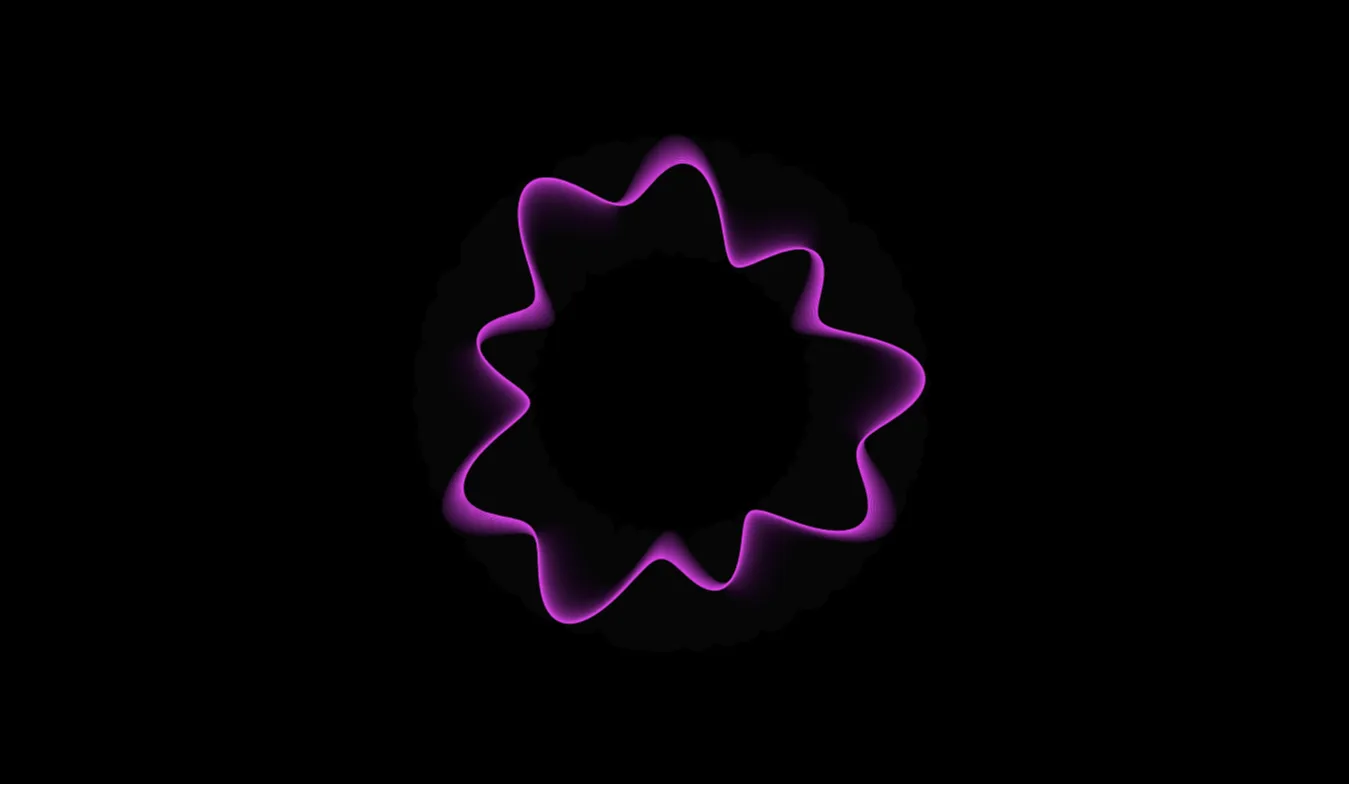
Modern web design thrives on dynamic, organic visual elements that capture user attention instantly. Static hero sections and flat vectors are increasingly giving way to fluid 3D graphics that respond naturally to user interaction. The 3D Blob Three.js project on CodeTap provides an elegant, lightweight, and fully customizable liquid sphere animation designed to elevate modern frontend applications.
Built specifically for developers, UI designers, and creative coding enthusiasts, this project demonstrates how to harness WebGL rendering through Three.js without sacrificing web performance or structural simplicity. By combining vector noise displacement algorithms with GPU-accelerated rendering, the blob continuously morphs, flows, and reacts to pointer movements in real time.
The core motivation behind building this project was to bridge the gap between complex 3D graphics programming and accessible web development standards. Many web developers find WebGL intimidating due to complex matrix mathematics and low-level shader syntax. This codebase breaks down those barriers by presenting a clean, componentized structure integrated seamlessly with Bootstrap 5 grid layouts and vanilla JavaScript.
Whether you need a captivating background visual for a landing page, an interactive hero section element, or a modern background mesh for a creative portfolio, this 3D organic shape provides a versatile solution. It solves the common issue of high-weight visual assets by replacing heavy video loops or canvas sequence files with a lightweight procedural script that loads instantaneously.
Developers should integrate this project because it offers a production-ready, modular foundation that can be modified in minutes. You can easily tweak vertex distortion frequencies, surface roughness, lighting models, and color gradients to align precisely with your project's visual brand identity.
Key Features
Procedural Vertex Displacement
Generates continuous organic morphing effects using Simplex/Perlin noise algorithms without reliant static keyframe assets.
Real-Time Mouse Interaction
Responds gracefully to cursor tracking, tilting, and hover events to create an engaging tactile feedback loop for visitors.
GPU-Accelerated WebGL Rendering
Leverages hardware acceleration for ultra-smooth 60 FPS rendering across high-refresh-rate desktop and mobile displays.
Bootstrap 5 Integration
Built inside a clean, modern Bootstrap 5 container grid ensuring seamless integration with existing layout frameworks.
Dynamic Material & Lighting Settings
Utilizes physically based rendering (PBR) materials with customizable metalness, roughness, and directional light maps.
Fluid Responsive Canvas
Automatically adjusts camera projection ratios and pixel density based on viewport resizing and device DPR settings.
Zero Build-Step Architecture
Runs natively via standard HTML script tags or CDN imports, requiring no complex Webpack, Vite, or NPM setup.
Minimal CPU Overhead
Optimized vertex density and efficient animation loops ensure minimal battery drain on modern mobile smartphones.
Technologies Used
HTML5
HTML5 serves as the semantic structural backbone of the project wrapper. It utilizes modern tags like <section>, <main>, and <canvas> to ensure clean DOM tree organization. The 3D viewport itself is rendered directly onto a native HTML5 <canvas> element, enabling hardware-accelerated drawing contexts without requiring external browser plugins.
CSS3
CSS3 provides global layout resets, typography styling, positioning rules, and z-index hierarchy controls. Custom CSS properties (variables) manage dynamic surface colors and background gradients. Flexible display rules ensure that the WebGL canvas scales seamlessly behind hero text overlays while maintaining high visual contrast and accessibility compliance.
Bootstrap 5
Bootstrap 5 delivers a responsive grid structure, container utility classes, and standardized layout alignment. It handles responsive typography, padding utilities, and button UI elements surrounding the 3D canvas viewport. Because Bootstrap 5 operates without jQuery dependency, it ensures maximum performance and compatibility alongside modern ES6+ JavaScript codebases.
JavaScript & Three.js
Vanilla JavaScript (ES6+) coordinates scene initialization, animation loops, mouse position listeners, and window resize events. The Three.js library acts as an abstraction layer over WebGL, managing the perspective camera, directional lights, sphere geometry, material properties, and continuous render updates inside a requestAnimationFrame pipeline.
How It Works
The 3D Blob project operates by instantiating a WebGL scene containing three fundamental components: an perspective camera, ambient and point light sources, and a high-density IcosahedronGeometry or SphereGeometry mesh.
During initialization, the JavaScript script iterates across each vertex in the sphere's geometric mesh array. Rather than keeping the vertex coordinates static, a noise function (typically Simplex or Perlin noise) modifies the normal vectors based on time values passed from a high-resolution clock.
Core Algorithmic Workflow
- Scene Setup: Initialize WebGLRenderer, PerspectiveCamera, and Scene containers.
- Mesh Creation: Instantiate a detailed spherical mesh using
MeshStandardMaterial. - Noise Math: Calculate vertex offsets using 3D noise math driven by
time * speed. - Interaction Layer: Interpolate mouse coordinates to gently tilt camera angles and alter noise intensity.
- Render Loop: Draw updated geometry positions on every animation frame for fluid movement.
As the mouse moves across the screen, event listeners capture normalized device coordinates ($x, y$ values ranging from $-1$ to $+1$). These values smoothly interpolate camera positions and alter lighting angles, imparting a natural liquid inertia to the morphing mesh.
Benefits
| User Role | Primary Advantages |
|---|---|
| Students | Provides a clear, readable practical example for understanding WebGL rendering, 3D math, vertex manipulation, and modern JavaScript animation principles. |
| Developers | Offers modular, reusable 3D components that can be quickly copied and adapted into client projects without spending hours writing custom WebGL shaders. |
| Designers | Brings static UI mockups to life with modern, interactive organic visuals that improve user engagement and time-on-page metrics. |
| Freelancers | Delivers high-value, agency-grade visual appeal to client websites, landing pages, and marketing campaigns with minimal turn-around time. |
| Portfolio Creators | Instantly makes developer portfolios stand out to hiring managers by demonstrating proficiency in 3D creative coding and modern frontend architecture. |
Real World Use Cases
1. SaaS Landing Page Hero Section
Enhance landing pages by placing the morphing 3D blob behind primary value propositions and call-to-action buttons.
2. Creative Studio Portfolios
Distinguish digital agency homepages with interactive fluid shapes that showcase technical craftsmanship.
3. Interactive Loading Screens
Replace standard animated spinner GIFs with an interactive, organic liquid mesh during application loading phases.
4. AI Product Dashboards
Use fluid blob morphing to visually represent neural network processing, voice assistant listening, or data synthesis state.
5. Music & Audio Visualizers
Bind audio frequency data from the Web Audio API directly to vertex displacement math for real-time music beats visualization.
6. Web3 & Crypto Token Sites
Create futuristic visual aesthetics for blockchain projects, NFT collections, and decentralized finance landing pages.
7. E-Commerce Product Highlights
Serve as an interactive, attention-grabbing background for featured seasonal products or promotional hero banners.
8. Interactive Educational Presentations
Demonstrate physics, noise math functions, and WebGL rendering concepts interactively in digital classrooms.
Performance & SEO Optimization
Integrating WebGL visual components into web applications often raises concerns regarding initial page weight and Core Web Vitals impact. This project has been carefully engineered to adhere strictly to technical SEO standards and Web Vitals benchmarks.
- Fast Loading Speeds: Total JavaScript payload remains tiny, allowing pages to achieve excellent Largest Contentful Paint (LCP) scores.
- Responsive Canvas Sizing: Automatically updates viewport dimensions using device pixel ratios, avoiding layout shifts and Cumulative Layout Shift (CLS) penalties.
- Accessibility Standards: The canvas element includes ARIA labels and fallback descriptive text for screen readers, ensuring compliance with WCAG guidelines.
- Clean Semantic Code: Valid HTML5 elements allow search engine bots to parse page structure and content without encountering WebGL script blocks.
- Mobile-Friendly Performance: Automatically caps pixel ratios on mobile screens to preserve high battery life and steady frame rates.
Customization Guide
Customizing the look and feel of the 3D blob requires only basic familiarity with JavaScript variables. Here is how you can tailor key properties:
Changing Color & Material Properties
Locate the MeshStandardMaterial or MeshPhysicalMaterial definition in the script. Modify properties such as color, roughness, and metalness to match your design palette.
Adjusting Distortion Speed & Frequency
Modify the noise step multiplier inside the render animation loop. Increasing speed values creates energetic distortion, while lower values produce slow, luxurious fluid shifts.
Tweaking Canvas Layout & Typography
Leverage standard Bootstrap 5 container classes to align overlay text, headings, or action buttons directly over the canvas viewport.
Updating Fonts and UI Theme
Override default CSS font families and color variables inside the custom stylesheet to maintain strict brand consistency.
Who Should Use This Project?
This project is ideal for modern web professionals who want to incorporate cutting-edge 3D graphics into their projects without rebuilding complex math algorithms from scratch. It is particularly valuable for:
Conclusion
The 3D Blob Three.js project published on CodeTap represents a perfect balance between visual innovation and frontend simplicity. By leveraging modern HTML5, CSS3, Bootstrap 5, and JavaScript, it unlocks the power of WebGL rendering for developers at any skill level.
Whether you are building a personal portfolio, designing a high-converting landing page, or learning creative coding techniques, this source code provides a clean, adaptable, and SEO-friendly solution. Explore the source code on CodeTap today and transform your web projects with modern 3D fluid animations!
Frequently Asked Questions
How does this 3D Blob project work?
It uses Three.js to generate a 3D sphere geometry inside an HTML5 canvas. JavaScript displacement algorithms dynamically offset the sphere's vertices over time using 3D noise functions.
Can beginners learn WebGL from this project?
Yes! The project contains clean, well-commented vanilla JavaScript code that clearly breaks down scene setup, material configuration, lighting, and animation loops.
Is the animation mobile responsive?
Absolutely. The canvas automatically resizes dynamically according to screen resolution and device pixel ratio, ensuring crisp visuals on mobile devices.
Can I use this code commercially in client projects?
Yes, the project source code on CodeTap is open-source and free to use for both personal and commercial web projects.
How do I customize the colors and shapes?
You can easily update material color properties, lighting intensities, and noise scale parameters directly within the JavaScript file.
Does this project require Bootstrap 5?
While Bootstrap 5 is included for convenient responsive grid layouts, the core Three.js animation code can operate independently with pure CSS.
Is JavaScript required for this project to run?
Yes, JavaScript is required to initialize Three.js, create the WebGL context, and run the real-time vertex animation render loop.
Can I add this project to my frontend portfolio?
Yes, customizing and hosting this project is an excellent way to showcase your understanding of WebGL, creative coding, and responsive design.
Download is Locked
Please scroll down to view the full page and unlock the download link.
Your Download is Ready
Click the button below to retrieve the project source code.
More Related Items by CodeTap
View All