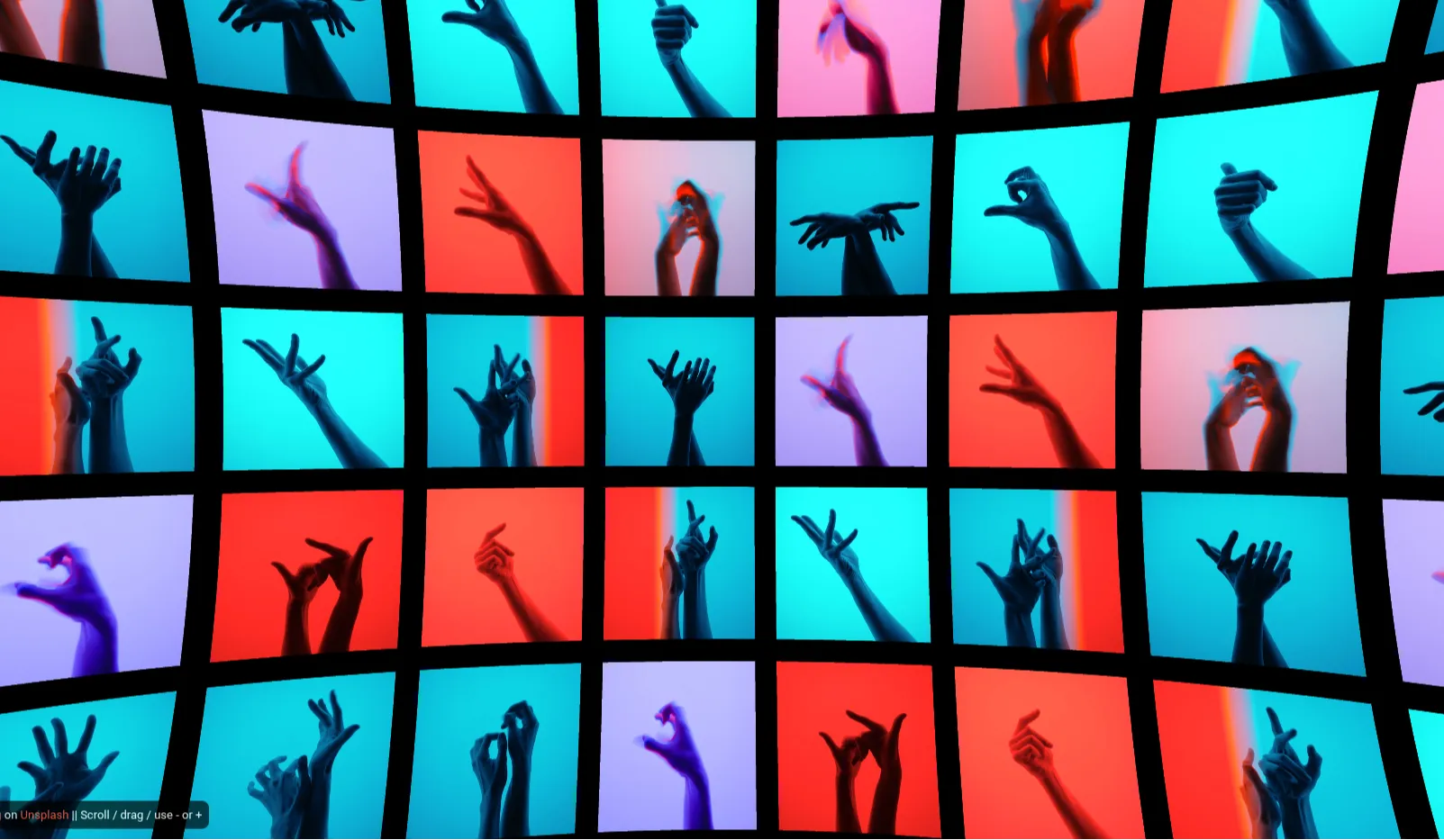
The Concave Gallery WebGL is an immersive frontend project that reinvents the traditional web-based image slider. Moving away from standard flat grids and 2D carousels, this project leverages the power of WebGL to construct a stunning, interactive 3D environment. Images are elegantly mapped along a sweeping, inward-facing curved path, creating a "concave" panoramic experience. Designed with smooth, physics-based scrolling and drag interactions, it allows users to physically spin the gallery in three-dimensional space. Ideal for high-end portfolios, creative agencies, and visual storytellers, this spatial UI component immediately captures attention and significantly elevates digital presentation standards.
Key Features
- Immersive 3D Architecture: A uniquely curved, cylindrical arrangement of images that surrounds the user's viewport, providing a spatial sense of depth.
- Physics-Based Interaction: Ultra-smooth inertia and momentum mechanics applied to mouse dragging, touch swiping, and wheel scrolling for a tactile user experience.
- Dynamic Depth Effects: Real-time distance attenuation and subtle opacity fading for items further along the curve, enhancing focus on the center image.
- Responsive WebGL Canvas: The Three.js scene automatically recalculates aspect ratios and camera field of view (FOV) to ensure a perfect layout on any device.
- Optimized Texture Management: Asynchronous loading of high-resolution images onto 3D planes to ensure rapid initial rendering and consistent frame rates.
Technologies Used
HTML5, CSS3, JavaScript (ES6+), Three.js, WebGL
How It Works
The core of the Concave Gallery WebGL is powered by Three.js. Instead of positioning DOM elements using CSS, the project renders a scene within an HTML5 <canvas>. Each image is loaded as a WebGL texture and mapped onto a distinct 3D plane geometry. Using trigonometric functions (sine and cosine), these planes are mathematically plotted along a circular arc in 3D space, facing inward toward a central virtual camera. An event listener tracks mouse or touch coordinates to calculate a delta value. This value is then smoothly interpolated (using lerp) to rotate the entire group of images around the Y-axis, creating the illusion of a spinning, concave carousel.
Benefits
For frontend developers, this project provides an excellent foundation in 3D spatial mathematics, texture mapping, and physics-based UI interaction within the browser. For photographers, designers, and brands, implementing a WebGL concave gallery breaks the monotony of traditional website layouts. The interactive nature of the 3D space encourages users to "play" with the interface, drastically increasing dwell time and engagement metrics. It transforms a standard viewing task into an exploratory digital experience, cementing a premium brand perception.
Use Cases
- High-end photography and architectural visualization portfolios
- Immersive product showcases for luxury fashion or automotive brands
- Virtual exhibitions for art galleries and digital museums
- Award-winning hero sections for creative digital agency websites
- Interactive media hubs for film, television, or game launch pages
Conclusion
The Concave Gallery WebGL exemplifies the ongoing transition toward spatial web design. By harnessing Three.js, developers can create environments that feel vastly more engaging and tactile than traditional flat HTML structures. Integrating this interactive 3D carousel into your digital platform not only showcases technical prowess but also offers your audience a deeply memorable and highly modern way to consume visual content.
Frequently Asked Questions
What is a concave WebGL gallery?
A concave WebGL gallery is an interactive 3D interface where images are arranged in an inward-facing semi-circle or cylinder. Instead of a flat slideshow, users navigate a spatial environment that feels like standing inside a curved panoramic room.
Do I need to create 3D models to use this project?
No. The project is entirely code-driven. It uses standard 2D image files (JPG or PNG) and maps them onto mathematically generated flat planes within the 3D Three.js environment, requiring zero knowledge of external 3D modeling software.
Is the Three.js 3D gallery mobile-friendly?
Yes, the gallery is completely responsive. The WebGL camera dynamically adjusts its field of view and aspect ratio based on the screen size. Furthermore, touch events are fully supported, allowing mobile users to intuitively swipe and spin the carousel.
Can users click on the 3D images to navigate to other pages?
Yes. While standard HTML links don't work directly inside a WebGL canvas, the project utilizes a technique called "Raycasting." This allows the browser to detect when a user clicks or taps on a specific 3D image, triggering URL redirects or opening modal windows.
Will loading multiple high-res textures crash the browser?
The project is optimized for performance. It employs texture compression and asynchronous loading strategies. However, as with any visual-heavy web project, it is highly recommended to properly compress and size your source images before loading them into the WebGL scene to maintain a smooth 60fps experience.
Download is Locked
Please scroll down to view the full page and unlock the download link.
Your Download is Ready
Click the button below to retrieve the project source code.
More Related Items by CodeTap
View All