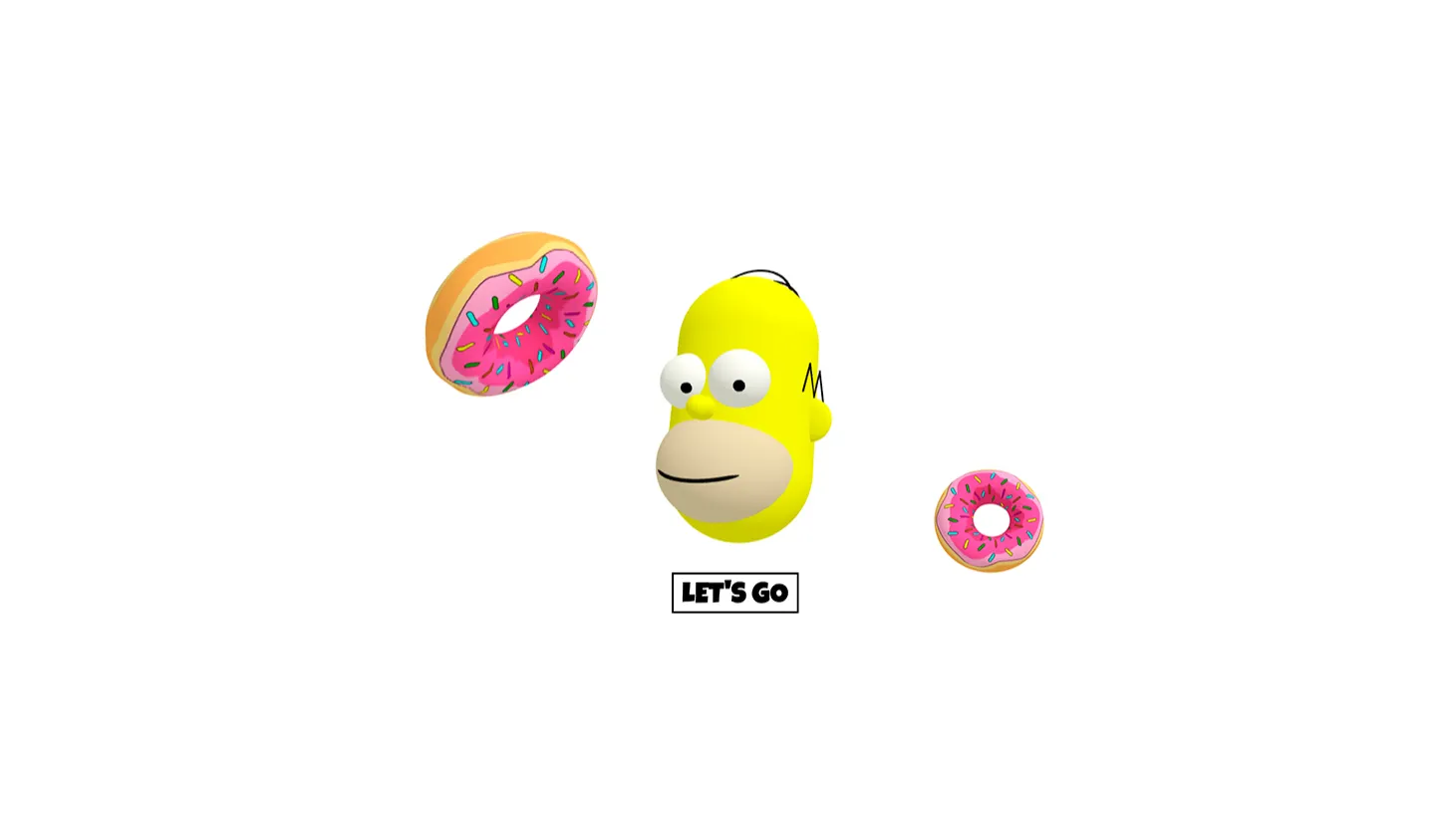
Interactive 3D web experiences have quickly shifted from a luxury trend to a core standard in contemporary frontend engineering. The Homer 3D Donut Game built with Three.js and GSAP is an open-source web implementation created to demonstrate the seamless integration of real-time 3D rendering with fluid green-screen animations inside a lightweight browser environment. Inspired by iconic pop-culture imagery, this interactive showcase invites users to explore a fully rendered three-dimensional donut scene that responds dynamically to user input, physics-based interactions, and high-performance UI motion.
We developed this frontend code template to address a common pain point in modern web development: the steep learning curve associated with WebGL rendering and spatial scene management. Many developers struggle with setting up lighting, camera rigs, mesh geometry, and event listeners while maintaining high frame rates. This project solves that problem by offering a production-ready, structured boilerplate where Three.js handles complex 3D graphic pipelines and GSAP powers timing and timeline transitions.
Whether you are a student exploring JavaScript canvas mechanics or a seasoned frontend engineer looking for an elegant interactive feature for a client landing page, this project serves as a practical, hands-on learning environment. By studying this code, you gain immediate access to modular scene initializations, lighting setups, mesh controls, and hardware-accelerated user input controls without relying on heavy external game engines or proprietary software packages.
Key Features
1. Real-Time WebGL Rendering
Powered directly by Three.js, achieving native 60 FPS performance across modern desktop and mobile browsers through direct GPU hardware acceleration.
2. Hardware-Accelerated GSAP Motion
Smooth animation timelines drive scale shifts, rotational ease, and UI entrance animations without causing layout thrashing or dropped frames.
3. Interactive 3D Mesh Lighting
Includes directional, ambient, and point light sources configured to create crisp specular highlights and realistic subsurface scattering effects on the donut geometry.
4. Responsive Viewport Scaling
Dynamic aspect ratio recalculation ensures the 3D canvas scales gracefully across ultra-wide monitors, tablets, and smartphones without texture distortion.
5. Touch and Pointer Event Listeners
Seamless input handling for mouse hovers, drag gestures, and mobile touch events, ensuring identical gameplay fidelity across device formats.
6. Optimized Asset Loading
Lightweight geometric primitives and efficient shader material usage guarantee near-instant initial DOM paint times and minimal memory consumption.
7. Modular JavaScript Architecture
Clean separation of logic across scene initialization, animation loops, UI interaction handlers, and utility state managers for hassle-free maintenance.
8. Bootstrap 5 UI Integration
Combines a responsive Bootstrap 5 interface overlay with the WebGL canvas, allowing easy implementation of controls, game stats, and call-to-action buttons.
Technologies Used
HTML5
The project uses semantic HTML5 markup to anchor the WebGL canvas element securely within the DOM structure. HTML5 semantic elements ensure optimal screen-reader parsing, standard web accessibility standards, and a predictable page hierarchy. The canvas tag is managed programmatically while container elements organize overlay controls, statistics displays, and structural content sections without interfering with spatial canvas rendering context.
CSS3
Custom CSS3 stylesheets manage visual layer stacking (z-index), canvas positioning parameters, custom color variables, and transition effects. Hardware-accelerated CSS properties are leveraged alongside modern flexbox layout structures to ensure overlay HUD elements float effortlessly over the active 3D view canvas without interfering with touch register regions or GPU draw calls.
Bootstrap 5
Bootstrap 5 provides a mobile-first responsive grid system and pre-styled UI component primitives. By taking advantage of Bootstrap's utility classes and modal structures, the project maintains layout consistency across mobile devices, desktop monitors, and high-density screens. This allows developers to focus on the 3D JavaScript logic rather than re-inventing basic layout responsiveness or button styling.
JavaScript (ES6+) & 3D Libraries
Vanilla JavaScript forms the core execution logic of the application. It orchestrates the lifecycle of the Three.js scene (Perspective Camera, WebGLRenderer, Ambient/Directional Lights, Mesh Torus/Sprinkles Geometry) and synchronizes state with GSAP (GreenSock Animation Platform) timelines. GSAP handles camera interpolations, spring physics ease curves, and micro-interactions with precise mathematical ease functions.
| Technology | Role in Project | Key Benefit |
|---|---|---|
| HTML5 | Semantic structure & DOM Canvas container | SEO friendliness & clean DOM structure |
| CSS3 | Visual overlays & positioning layers | Zero runtime overhead styling |
| Bootstrap 5 | Layout grid & responsive interface components | Rapid UI development and mobile adaptation |
| Three.js | 3D Graphics engine & WebGL abstraction | Cross-browser real-time 3D rendering |
| GSAP | Timeline management & easing animations | 60 FPS high-performance procedural animation |
How It Works
The application operates through a unified execution loop that combines scene lifecycle events, user input registers, and continuous frame rendering. Understanding this workflow helps developers modify scene attributes easily or extend functionality:
- Canvas Initialization: The core script establishes a DOM target canvas, instantiates a Three.js
WebGLRendererwith anti-aliasing enabled, and sets up aPerspectiveCameratargeting world origin coordinates. - Mesh Construction: The Homer-inspired donut is dynamically assembled using a parametric Torus geometry for the base pastry, layered with an offset deformed mesh for icing, and instanced geometric primitives representing colorful sprinkles.
- Lighting Architecture: Multi-point lighting is initialized, consisting of warm ambient light to illuminate shadows and dynamic directional lights that produce highlights on glossy icing textures.
- GSAP Timeline Binding: Interactive triggers—such as mouse movements, screen clicks, or touch drags—fire high-performance GSAP tweens that animate camera positions, mesh rotations, and scale pulse sequences effortlessly.
- Render Request Loop: A native
requestAnimationFrameloop continuously executes, updating positional parameters, evaluating active spring physics, and rendering updated frames directly to the WebGL viewport.
Benefits
For Students
Gain a practical, unencumbered codebase demonstrating how spatial mathematics, vector rotations, matrices, and WebGL lighting operate in actual production scenarios without confusing abstraction layers.
For Developers
Save hours of boilerplate setup time. Use this codebase as an extensible template for building interactive product configurators, hero section graphics, or gamified web experiences.
For UI/UX Designers
Discover how 3D visual fidelity can be harmoniously blended with standard Bootstrap UI components to raise visual engagement without compromising user usability or clear call-to-action paths.
For Freelancers & Portfolio Creators
Enhance your professional portfolio with a impressive, interactive WebGL project that demonstrates your ability to work with modern frontend libraries, custom animations, and responsive interactive design.
Real World Use Cases
- 1. Interactive E-Commerce Product Showcases: Transform standard 2D product photos into 3D interactive, rotating models that allow customers to inspect items from any angle.
- 2. Gamified Marketing Landing Pages: Increase user session duration and brand engagement by integrating mini browser games into marketing landers.
- 3. Web Development Agency Portfolio Hero Sections: Instantly capture visitor attention with dynamic WebGL visuals right on the landing page hero section.
- 4. EdTech Interactive Learning Modules: Build engaging educational software that helps students visualize math, geometry, or physics concepts directly in the browser.
- 5. Restaurant & Culinary Digital Experiences: Craft interactive menus featuring stylized 3D food items to captivate mobile and web food delivery customers.
- 6. Gamified Mobile Web Applications: Build fast, low-footprint touch games optimized for mobile browsers without requiring native app downloads.
- 7. Interactive Brand Campaign Experiences: Launch viral promotional microsites featuring pop-culture themes to boost campaign sharing and engagement.
- 8. Frontend Code Architecture Benchmarks: Use as an internal baseline to evaluate browser WebGL frame rates, memory usage, and GPU performance across various devices.
Performance & SEO
Modern search engine ranking algorithms heavily prioritize user experience, page load speeds, and core web vitals performance. WebGL projects often suffer from heavy asset bundles and layout blocking; however, this project is engineered from the ground up for optimal web performance:
Fast Loading
Built using programmatic procedural mesh generation, drastically reducing static asset download sizes and ensuring fast initial page loads.
Responsive & Mobile First
Listens to window resize events dynamically, adjusting camera frustums and aspect ratios without dropping frames or skewing pixels.
Accessibility (a11y)
Interactive overlay controls maintain proper ARIA labelling, visible keyboard focus indicators, and semantic HTML structure.
Customization Guide
The source code is structured to allow quick, straightforward customizations. Here is how you can personalize key parameters:
Changing Mesh Colors & Materials
To alter the donut icing or pastry tone, adjust the material hex parameters inside the JavaScript file initialization block:
const icingMaterial = new THREE.MeshPhongMaterial({
    color: 0xff69b4, // Customize icing color hex here
    shininess: 80
});
Tweaking GSAP Animation Timelines
Modify rotation speeds, entrance delays, and spring physics easing parameters by adjusting GSAP configurations:
gsap.to(donutMesh.rotation, {
    duration: 2.5,
    y: Math.PI * 2,
    ease: "elastic.out(1, 0.5)",
    repeat: -1
});
Updating Bootstrap Layout & Fonts
Modify interface controls or overlay card typography by changing standard Bootstrap 5 container utility classes (e.g., swapping bg-light for bg-dark text-white) or referencing Google Web Fonts in your CSS header.
Who Should Use This Project?
This project offers real value to a wide audience across the web development ecosystem:
- Students Beginners looking to transition from basic DOM manipulations to real-time 3D web programming.
- Frontend Developers Engineers looking for lightweight, high-performance WebGL animations and clean structural boilerplate.
- UI Engineers Designers wanting to study how rich visual elements can integrate cleanly with utility CSS systems like Bootstrap.
- Educators & Instructors Teachers in search of a fun, relatable, pop-culture code project to demonstrate spatial geometry concepts in computer science.
Conclusion
The Homer 3D Donut Game combines creative web design with modern technical SEO and clean code standards. By bringing together Three.js, GSAP, and Bootstrap 5, this open-source project demonstrates how high-fidelity 3D web applications can remain fast, responsive, accessible, and user-friendly. Explore the source code on CodeTap, test out customized light setups and animations, and seamlessly integrate 3D rendering into your web projects today.
Frequently Asked Questions
How does this project work?
It uses Three.js to render a 3D donut scene inside an HTML5 canvas element, while GSAP handles smooth animations and Bootstrap 5 powers the user interface elements on top.
Can beginners learn from this project?
Yes! The project features clean, well-commented ES6+ code that makes it easy for developers familiar with basic JavaScript to learn 3D web development concepts.
Is it mobile responsive?
Yes. The scene automatically updates aspect ratios, camera settings, and renderer sizing on window resizes, ensuring smooth performance on mobile devices and desktops alike.
Can I use it commercially?
Yes, the project code is open source and free to use for personal, educational, and commercial client applications published on CodeTap.
How do I customize it?
You can easily customize lighting properties, change material colors, adjust camera distances, or update GSAP animation timing directly within the modular JavaScript code.
Does it require Bootstrap?
Bootstrap 5 is used for modern responsive layout styling and overlay controls. However, the core 3D scene engine runs independently on JavaScript and Three.js.
Is JavaScript required?
Yes, JavaScript is required to execute the WebGL render loop, handle animation timelines, and process user interactions.
Can I add this to my portfolio?
Absolutely. Customizing and publishing this interactive WebGL project is a great way to showcase modern frontend skills to clients and potential employers.
Download is Locked
Please scroll down to view the full page and unlock the download link.
Your Download is Ready
Click the button below to retrieve the project source code.
More Related Items by CodeTap
View All