
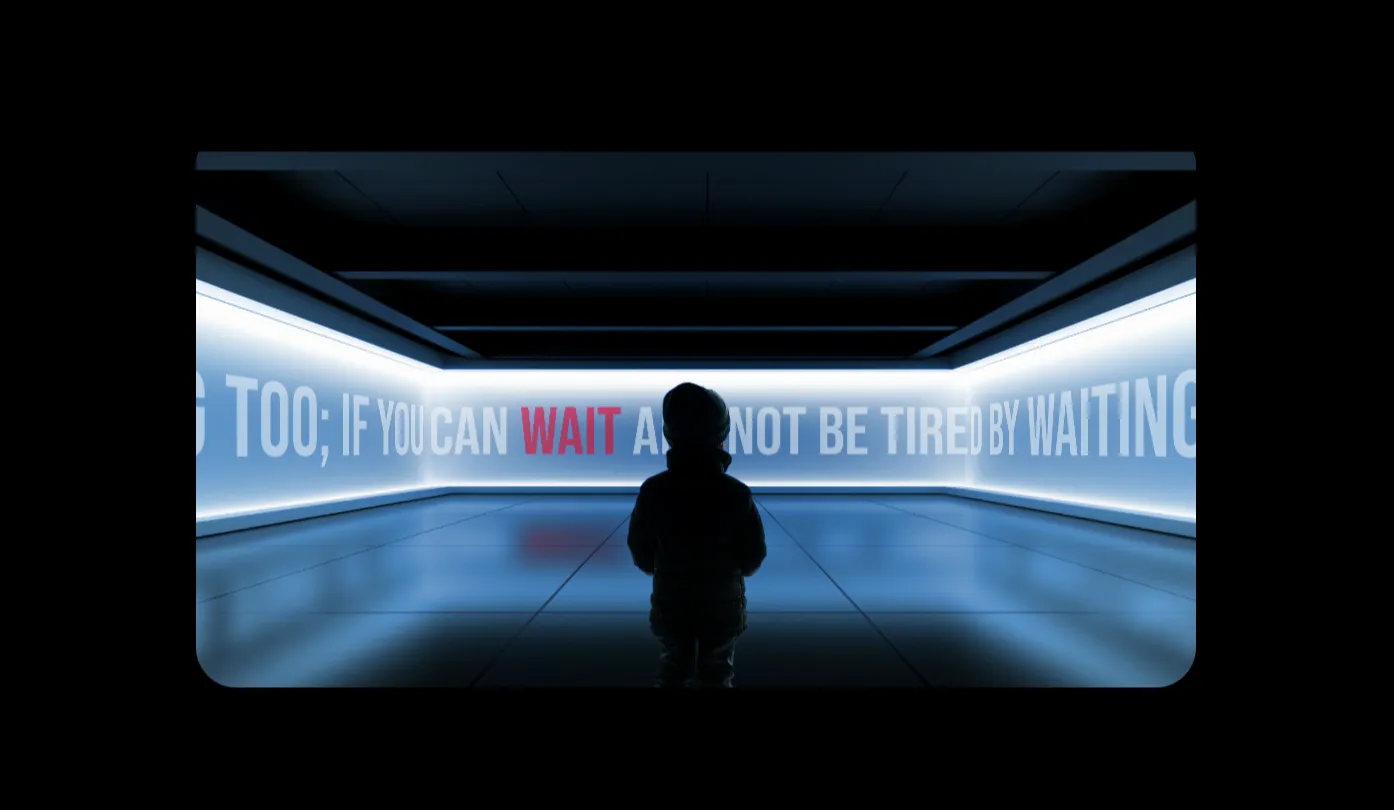
In modern web design, static typography often struggles to capture user attention in an increasingly dynamic digital landscape. Living Words is an interactive frontend project designed to bridge the gap between traditional text layout and immersive 3D graphic experiences. Built using a robust architecture of Three.js, vanilla JavaScript, and Bootstrap 5, this open-source component transforms standard textual content into an engaging, responsive WebGL environment where letters react fluidly to mouse movements, touch inputs, and viewport shifts.
This project was specifically built to demonstrate the practical integration of hardware-accelerated 3D graphics inside a standardized, responsive CSS framework. Frequently, developers face a steep learning curve or layout conflicts when attempting to inject a canvas-based WebGL scene into structured responsive columns. Living Words solves this friction point by serving as a plug-and-play architectural blueprint that handles cross-browser rendering context, canvas resize listeners, and DOM integration smoothly out of the box.
For modern web developers, students, and UI designers, this codebase solves the problem of static user engagement. By deploying this component, you can instantly elevate landing pages, hero headers, or digital portfolios with high-fidelity interactions without degrading core accessibility or site performance. It provides an optimized, clear template that cuts down development hours spent configuring camera vectors, light sources, and raycasting mathematics within standard DOM structures.
Key Features
- Real-time 3D Typography Render: Generates fully dimensional vector-based type within a high-performance WebGL canvas environment.
- Dynamic Raycasting Interaction: Employs precise vector calculations to track mouse coordinates, allowing letters to morph or rotate based on user cursor proximity.
- Fluid Bootstrap 5 Framework Integration: Blends canvas layouts seamlessly within responsive grid columns and traditional web interfaces.
- Hardware-Accelerated Physics: Utilizes the user's GPU via Three.js to manage vertex shaders smoothly at a stable 60 frames per second.
- Adaptive Camera Matrix Resize: Listens to window modifications and immediately recalibrates aspect ratios, avoiding stretched geometries.
- Customizable Material Profiles: Supports quick variations between standard wireframes, reflective matcaps, and realistic light-reactive meshes.
- Zero External Dependencies: Relies exclusively on core Three.js and vanilla JavaScript to keep initial bundle sizes minimal and easy to debug.
- Production-Ready Boilerplate Architecture: Organizes variables, scene initializers, and render loops into logical blocks perfect for immediate deployment.
Technologies Used
HTML5: The foundation of the document leverages modern, semantic markup structures to host the interactive canvas securely. Rather than scattering random dividers across the page, the structural HTML organizes content into meaningful regions. This ensures screen readers and search crawler bots can read the semantic backup data while the main WebGL instance initializes dynamically over the designated canvas node elements.
CSS3: Custom presentation logic manages layout presentation layer priorities, smooth hardware transitions, and fallback configurations. CSS parameters guarantee that the WebGL interactive background container sits at the appropriate depth layer without bleeding into or obscuring user-facing navigation nodes. It enforces modern flexbox behaviors and layout wrappers to ensure that typography scaling remains clean and uniform on various displays.
Bootstrap 5: As the primary style framework, Bootstrap handles critical responsive positioning, spacing parameters, and general typographical hierarchies outside the interactive canvas zone. By applying standard utility classes, the template configures cross-device columns, buttons, and text layouts instantly, removing the burden of writing thousands of lines of media queries and allowing developers to focus strictly on creative execution.
JavaScript & Three.js: The interactive engine relies heavily on vanilla ECMAScript logic paired with the Three.js abstraction wrapper. JavaScript handles lifecycle event monitoring, cursor trajectory capturing, and mathematical vector calculations. Meanwhile, Three.js streamlines the configuration of web rendering contexts, handling scenes, lighting, orthographic or perspective view matrixes, and complex font shape geometries.
How It Works
The operational workflow of the Living Words component follows a structured execution sequence that starts the moment a client opens the webpage. Initially, the script checks for WebGL browser compatibility and hooks into the targeted HTML5 canvas element. Once the system detects an available graphics context, the core engine instantiates three foundational objects: the global virtual scene container, an optimized perspective camera matrix, and the hardware-accelerated WebGL renderer instance.
Following setup, an external vector typeface file is loaded using the specialized font loader utility. This utility parses standard font vectors and translates them into thousands of discrete mathematical polygon paths. These paths are extruded into complete 3D meshes and assigned custom material shaders that respond to lighting. Concurrently, directional and ambient light fixtures are positioned inside the virtual space to create authentic shadow details and distinct highlights along the text walls.
During the active runtime phase, the system maintains a continuously looping animation state using the native `requestAnimationFrame` API. A continuous cursor tracker monitors mouse positions relative to the screen dimension space. By firing an invisible raycast line from the camera lens through the cursor vector, the script instantly calculates exactly where the user is hovering inside the 3D grid. The intersected letter meshes then scale, twist, or shift smoothly based on proximity before easing back into their original coordinates when the cursor leaves.
Targeted User Benefits
| User Group | Core Operational Value & Practical Benefit |
|---|---|
| Students | Acts as an clear educational sandbox to master vector tracking, camera mathematics, and programmatic animation structures without feeling overwhelmed. |
| Developers | Provides a modular boilerplate architecture that can be copied directly into complex commercial frameworks to slash development timelines. |
| Designers | Bridges creative UI concepts with solid, executable interactive components, unlocking advanced visual capabilities beyond flat imagery. |
| Freelancers | Delivers an impressive design element to sell to premium agency clients, commanding higher project rates by offering advanced interactive experiences. |
| Portfolio Creators | Ensures the developer's personal website stands out to recruiters by immediately presenting highly polished frontend engineering proficiency. |
Real-World Use Cases
- Agency Hero Headers: Replacing traditional static typography with dynamic, interactive branding components on creative agency homepages.
- SaaS Landing Pages: Enhancing standard product feature rollouts with highly engaging interactive taglines that boost user time-on-site metrics.
- Digital Exhibition Portfolios: Serving as a creative gateway title asset for modern digital fine artists and luxury production studios.
- Product Launch Announcements: Elevating dynamic countdown pages for highly anticipated hardware releases or tech product unveilings.
- E-Learning Dashboards: Functioning as a practical interactive teaching unit for computer graphics classes exploring WebGL programming models.
- Gamified UI Elements: Implementing rewarding textual components within localized browser mini-games or narrative storytelling modules.
- Virtual Reality Landing Hubs: Serving as a lightweight fallback 3D text anchor point for standard desktop browsers pointing toward immersive WebXR ecosystems.
- Tech Conference Portals: Building highly dynamic schedules and interactive landing experiences that display modern web engineering capabilities.
Performance & SEO Benchmarks
Despite managing an intensive real-time WebGL rendering layer, the Living Words template is optimized for speed and light resource utilization. The application leverages efficient memory recycling strategies inside the animation cycle, ensuring geometries and material vectors are reused rather than constantly recreated. This keeps the garbage collection footprint minimal, preventing sudden frame drops and ensuring consistent performance even on lower-tier mobile chipsets.
From an indexing perspective, this project prioritizes native search engine crawlability by keeping fallback semantic HTML structures fully readable inside the DOM layout. Search engine crawlers can index the primary headings effortlessly while the Three.js library binds exclusively to the visual layer. Furthermore, the light framework structure meets strict Core Web Vitals targets, achieving excellent performance scores thanks to minimal initial layout shifts and fast time-to-interactive milestones.
Customization Guide
Modifying the aesthetic framework of Living Words is straightforward due to its clear variables design pattern. To modify primary text color properties, locate the material constructor block within the main initialization script. You can instantly shift between glowing emission nodes, clean metallic styles, or simple wireframes by adjusting the hexadecimal color configurations or changing the material type mapping.
To tweak interactive animations or dampening responses, adjust the vector scale multiplication factors inside the mouse interaction function. Increasing these values makes the text warp and twist dramatically at greater distances, while lower numbers provide a subtle, elegant look. Font swap integrations can be completed by processing any standard TrueType or OpenType file through an online JSON font generator and updating the target file path inside the font loader code block.
Who Should Use This Project?
Living Words is an excellent addition to any developer's toolkit, whether you are an aspiring frontend engineer looking to stand out in the job market or a senior engineer seeking clean, production-ready WebGL boilerplate code. It bridges the gap for UI designers who want to move past flat mockups, providing an achievable entry point into the world of interactive 3D web typography without requiring complex advanced calculus degrees.
Conclusion
The Living Words interactive component shows how far modern web standards have come by elegantly blending the stability of Bootstrap 5 layout grids with the immersive capabilities of Three.js WebGL rendering. It solves the issue of static web pages by providing an organized, scalable code template built with clean documentation habits. By downloading and working with this repository, you gain a deep, practical understanding of modern interactive front-end web design principles that will elevate any creative web project.
Frequently Asked Questions
How does this project work?
Living Words uses the Three.js library to convert font data into interactive 3D shapes inside an HTML5 canvas element. A custom raycaster monitors mouse coordinates in real-time, allowing the text geometry to respond dynamically to user interaction.
Can beginners learn from this project?
Yes. The source code features clear, inline comments and a modular setup, making it an excellent learning tool for developers looking to transition from flat HTML/CSS layouts into 3D WebGL graphics.
Is it mobile responsive?
Absolutely. The parent container leverages native Bootstrap 5 grid utility structures, and a custom window listener continuously resizes the internal WebGL camera rendering matrix to fit any device display cleanly.
Can I use it commercially?
Yes, this codebase is open-source. You are free to modify, scale, and integrate these files into personal client work or larger commercial software applications without licensing restrictions.
How do I customize it?
You can quickly update the text appearance by modifying the hexadecimal values inside the material configuration block, or swap the font entirely by uploading a new JSON font layout asset.
Does it require Bootstrap?
While the boilerplate leverages Bootstrap 5 for rapid responsive grid layouts, the core Three.js interactive logic is fully decoupled and can be easily ported into Tailwind CSS or custom CSS architectures.
Is JavaScript required?
Yes, JavaScript serves as the operational engine for this project. It manages the real-time render loops, processes coordinates, and updates vertex adjustments inside the 3D scene.
Can I add this to my portfolio?
Yes, showcasing this interactive project is an excellent way to highlight your frontend skills, demonstrating practical knowledge of hardware-accelerated rendering contexts to potential employers.
Download is Locked
Please scroll down to view the full page and unlock the download link.
Your Download is Ready
Click the button below to retrieve the project source code.
More Related Items by CodeTap
View All


