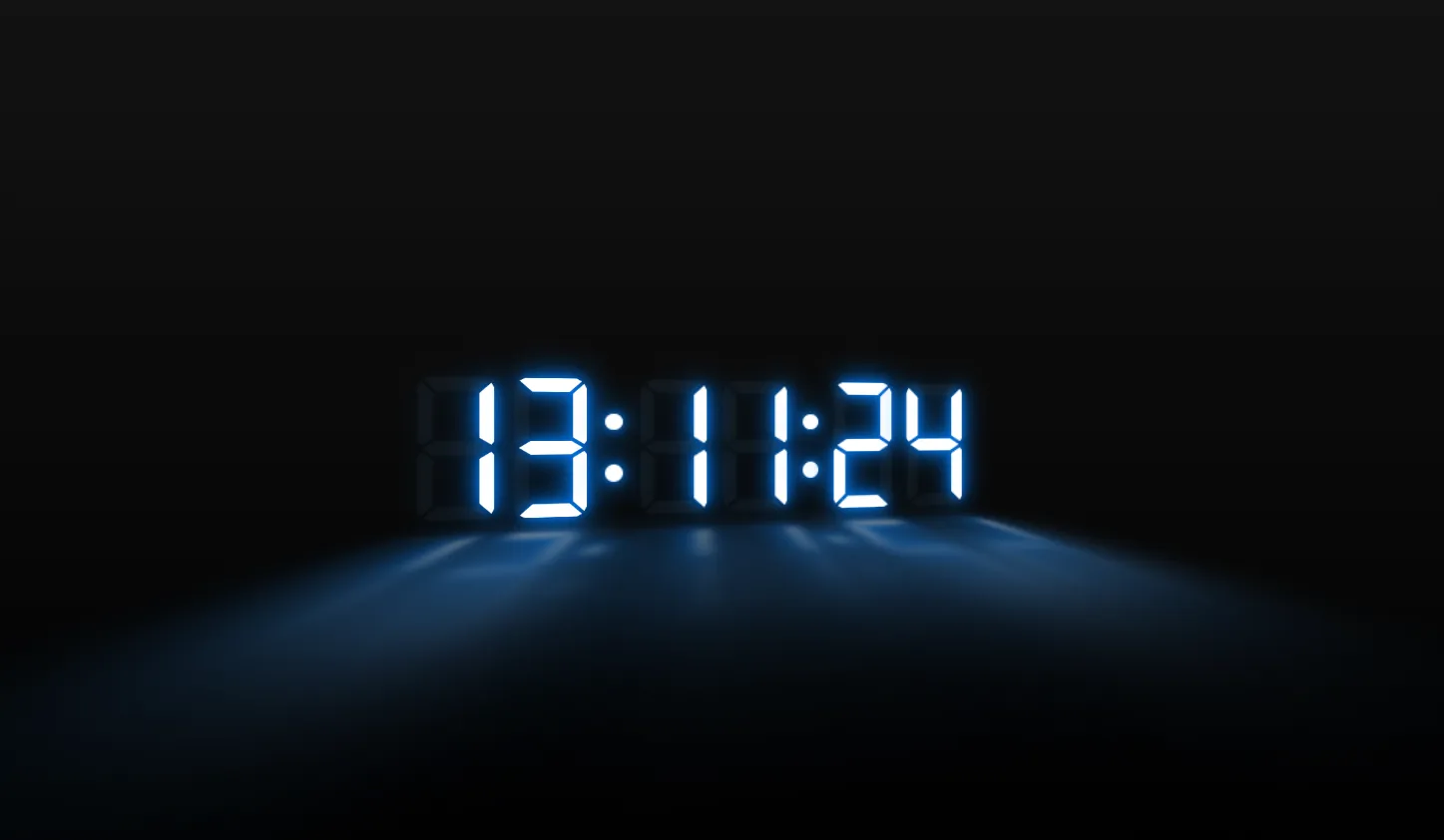
The Neon Clock project is an interactive 3D digital clock application crafted using Three.js, JavaScript (ES6+), Bootstrap 5, HTML5, and modern CSS3 styling. It replaces standard 2D web timers with a visually stunning, real-time visualizer that combines glowing neon aesthetic effects with interactive spatial rendering in a web browser.
Web developers often face the challenge of making simple utility tools like clocks, timers, and dashboards visually engaging. Traditional web clocks usually rely on basic DOM manipulation and simple CSS borders, which can feel static and uninspired on modern portfolio sites or web application control panels. This project was built to bridge the gap between functional web tools and modern 3D visual experiences on the web platform.
By leveraging WebGL graphics through the lightweight Three.js library, this project solves the issue of flat UI design by introducing realistic depth, glowing ambient materials, lighting models, and real-time animation loops. Developers can integrate this component into personal landing pages, administrative dashboards, digital signage interfaces, or smart home display applications.
Using this project gives frontend developers, students, and UI design enthusiasts a complete, production-ready blueprint for working with WebGL, scene graphs, lighting, and animation loops without relying on bulky game engines or complex build tools. It offers a clear hands-on demonstration of how vanilla JavaScript interacts with modern graphic libraries alongside responsive framework layouts.
Key Features
- Real-Time 3D Rendering: Smooth WebGL visual rendering powered by Three.js running at 60 FPS in modern web browsers.
- Glowing Neon Aesthetics: Realistic luminous glow materials, emissive lighting properties, and soft ambient reflections.
- Interactive Camera Controls: Interactive scene rotation, zoom, and perspective adjustments using intuitive mouse or touch controls.
- Fully Responsive Design: Uses Bootstrap 5 grid systems and canvas resize observers to ensure sharp displays across all screen sizes.
- 12/24 Hour Time Modes: Real-time browser clock synchronization supporting both 12-hour and 24-hour time formatting toggles.
- Low Resource Overhead: Optimized animation loops using
requestAnimationFramefor minimal CPU and GPU memory consumption. - Customizable Color Themes: Easily alter neon tube colors, ambient lighting hues, and scene background textures.
- Zero Heavy Dependencies: Built with vanilla JavaScript modules and standalone CDNs without requiring heavy bundlers like Webpack or Vite.
Technologies Used
HTML5
HTML5 provides the semantically sound foundation for the application layout. It defines structural containers, semantic headers, canvas element mounting points, and control panels required for accessibility and browser compatibility.
CSS3
CSS3 handles the visual layout, background gradients, custom glowing keyframe animations, UI overlay positioning, and canvas container sizing. It leverages CSS custom properties (variables) to enable instant theme switches and smooth UI backdrop filters.
Bootstrap 5
Bootstrap 5 provides modern grid utility classes, flexible container components, responsive typography, and navigation overlays. It ensures that UI controls match contemporary aesthetic standards while maintaining complete responsiveness on mobile devices.
JavaScript & Three.js
JavaScript manages system time calculations, interval scheduling, and WebGL scene initialization. Three.js operates on top of JavaScript to handle perspective cameras, directional lights, MeshStandardMaterials, geometry instancing, and continuous rendering loops.
How It Works
The application architecture follows a modular, client-side rendering pipeline designed for real-time graphics performance.
- Scene Setup: The application instantiates a Three.js
Scene, configures aPerspectiveCamera, and attaches a WebGLRendererdirectly to an HTML canvas element. - Lighting Setup: Ambient light source provides overall illumination while specialized point lights and emissive materials create the glowing neon tube effect.
- Geometry Creation: Digit meshes or 3D vector paths are loaded into memory representing numerical values (0-9) and colon separators.
- Time Sync Loop: A standard JavaScript
Dateobject retrieves system hours, minutes, and seconds every frame cycle. - Mesh Updates: As system time updates, active digit geometries or emissive light parameters switch seamlessly without recreating whole scenes.
- Render Execution: The continuous
requestAnimationFrameloop continuously draws updated light maps and object matrices directly to screen space.
Benefits
| User Category | Primary Value & Advantages |
|---|---|
| Students | Practical introduction to WebGL, 3D math coordinates, material shaders, and animation loop concepts. |
| Developers | Clean boilerplate code for integrating Three.js viewports into standard responsive web apps. |
| Designers | Inspiration for creative glowing UI components, lighting layouts, and futuristic user interfaces. |
| Freelancers | A customizable asset that can be embedded into client landing pages or smart office dashboards. |
| Portfolio Creators | A distinctive project demonstrating frontend skills beyond basic flat DOM manipulation. |
Real World Use Cases
1. Developer Portfolios
Serve as a Hero section background or interactive widget showcasing advanced JavaScript and WebGL capabilities.
2. Smart Home Interfaces
Integrate into wall-mounted tablet displays or Raspberry Pi smart screens for stylish room timekeeping.
3. Streaming Overlays
Embed as a customizable, glowing real-time clock widget for live gaming or tech broadcast scenes.
4. Gaming Lounge Displays
Deploy as ambient digital signage on monitors located in arcade bars, cafes, or esports venues.
5. Admin Dashboards
Enhance futuristic monitoring dashboards with high-tech, real-time spatial visualizers.
6. Kiosk Idle Screens
Function as an energetic screensaver mode for interactive public terminal screens when idle.
7. Educational Demos
Utilize as source material in web development workshops teaching modern 3D browser graphics.
8. Product Launch Pages
Adapt into a 3D countdown timer for product reveals, tech conventions, or launch landing pages.
Performance & SEO
Building 3D experiences in the browser requires strict attention to performance optimization and search engine accessibility standards.
- Fast Loading: Standard CDN script imports and low-poly geometric models guarantee minimal initial page transfer sizes.
- Responsive Canvas: Window resize events automatically update camera aspect ratios and render viewport dimensions to eliminate layout shifts.
- Accessibility Standards: Standard HTML elements provide screen-readable live time region attributes alongside WebGL canvas views.
- Clean & Semantic Code: Structured HTML5 sectioning elements allow search crawlers to accurately parse document outline structures.
- Mobile Friendly: Dynamic pixel ratio scaling adjusts high-DPI displays safely to maintain high frame rates on modern mobile devices.
Customization Guide
The project codebase is constructed to allow fast customization across several key properties:
1. Modifying Neon Colors
Locate the material definitions inside the JavaScript setup function. Update the emissive and color properties using hexadecimal color values to adjust lighting hues instantly.
2. Adjusting Animations & Glow
Modify point light intensity values or pass custom bloom pass filter parameters to control glow softness, radiance, and atmospheric flicker effects.
3. Layout & Camera Angles
Change the default camera vector offsets within camera.position.set(x, y, z) to create isometric, top-down, or dramatic close-up viewpoints.
4. Changing Typography Styles
Swap out the JSON font files used by Three.js FontLoader to alter digit line weights, retro styles, or futuristic geometric shapes.
5. UI Overlays
Use standard Bootstrap 5 classes within index.html to add custom control buttons, theme selectors, or location selector dropdowns without touching WebGL code.
Who Should Use This Project?
This project is explicitly tailored for web development practitioners who wish to level up their core skills:
- Beginner to Intermediate JavaScript Developers seeking to move beyond simple DOM manipulation into interactive 3D spaces.
- Frontend Engineers building interactive dashboards, landing page hero components, or digital signage templates.
- Computer Science Students looking for clear, understandable open-source project implementations of WebGL principles.
- UI/UX Designers prototyping futuristic dark-mode user interface concepts with realistic lighting models.
Conclusion
The Neon Clock project presents a well-rounded fusion of utility and modern web graphics capability. By combining Three.js rendering techniques with the structural simplicity of Bootstrap 5 and vanilla JavaScript, it provides an exceptional template for modern frontend developers. Whether you want to study WebGL scene construction, add a impressive component to your creative portfolio, or deploy an eye-catching clock display widget, this open-source project serves as an ideal foundation.
Frequently Asked Questions
How does this project work?
The project uses vanilla JavaScript to read system time from your device and sends update triggers to a Three.js WebGL scene. Three.js then updates glowing 3D meshes and lights in real-time inside an HTML5 canvas element.
Can beginners learn from this project?
Yes! The codebase is heavily commented and structured logically. It offers an approachable introduction to scene graphs, lighting setup, dynamic mesh management, and animation rendering loops.
Is it mobile responsive?
Absolutely. The layout incorporates Bootstrap 5 responsive containers, while the canvas utilizes dynamic window resize observers to adjust rendering aspect ratios smoothly on smartphones and tablets.
Can I use it commercially?
Yes, this open-source code is available for personal and commercial usage. You can adapt it into client websites, web applications, or digital displays without restriction.
How do I customize it?
You can customize colors, lighting intensities, font choices, and camera positions directly in the main JavaScript configuration file, or alter overlay controls through Bootstrap 5 markup.
Does it require Bootstrap?
Bootstrap 5 handles UI structure, overlays, and responsive page margins. While Three.js renders independently inside its canvas, Bootstrap makes control panel positioning straightforward.
Is JavaScript required?
Yes. JavaScript is essential to manage time intervals, perform real-time math calculations, run animation loops, and execute Three.js rendering commands within WebGL context.
Can I add this to my portfolio?
Yes, incorporating this project into your personal developer portfolio is a great way to showcase practical familiarity with WebGL, 3D graphics, and advanced JavaScript frontend development.
Download is Locked
Please scroll down to view the full page and unlock the download link.
Your Download is Ready
Click the button below to retrieve the project source code.