
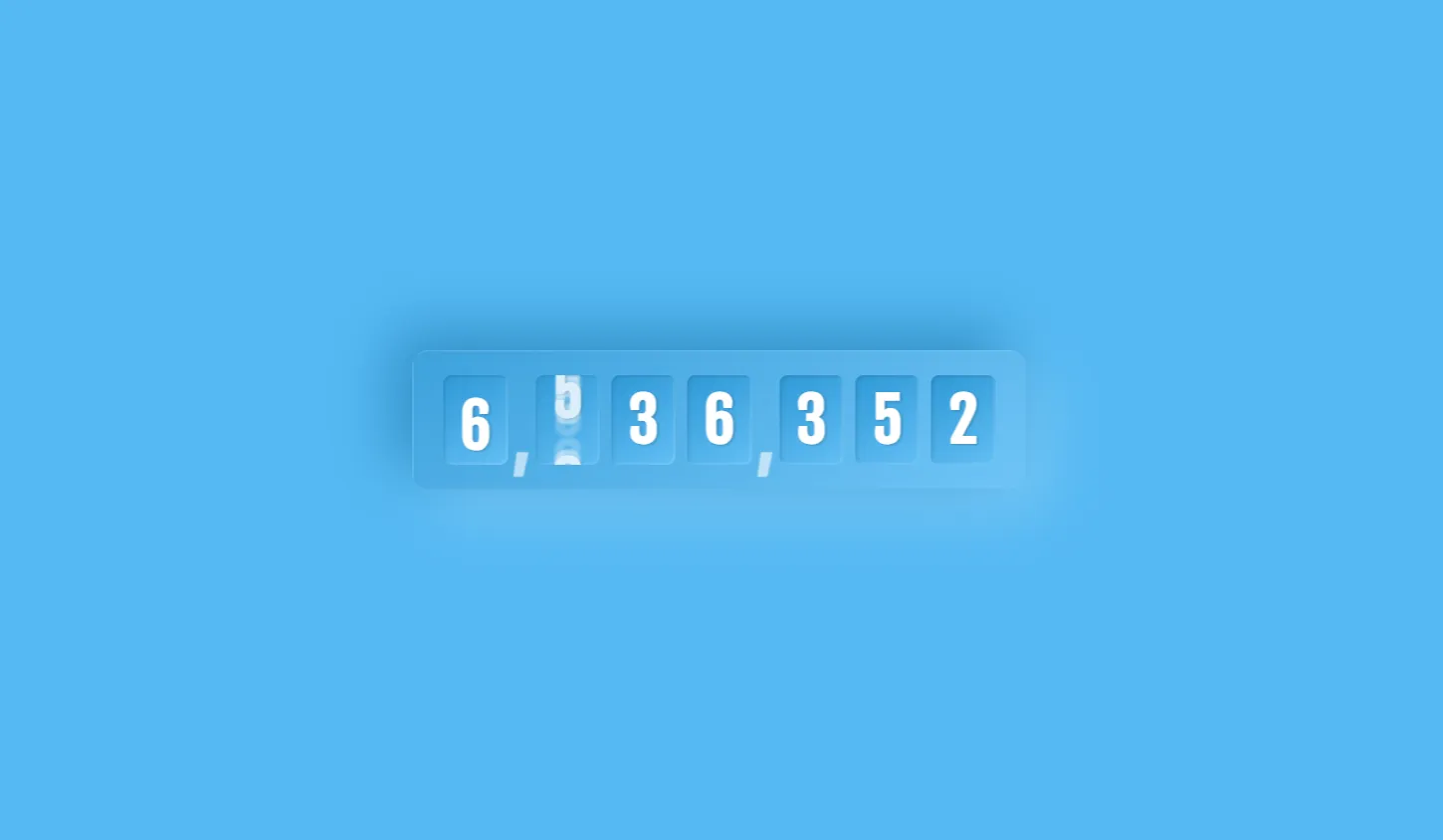
The Number-flipping counter built with Three.js is a modern, interactive web component designed to display numerical changes through smooth 3D flip animation effects. Developed for developers, educators, and UI/UX enthusiasts, this open-source project bridges the gap between traditional flat web interfaces and immersive 3D graphics. By leveraging WebGL through the Three.js library alongside Bootstrap 5 layout primitives, this component transforms standard data visualization into an engaging user experience.
In modern web development, capturing visitor attention quickly is critical. Standard static numbers or simple 2D counting scripts often fail to create a memorable impression during product launches, sales countdowns, or live milestone displays. This project was built to provide a high-performance, lightweight, and visual-first solution that elevates dashboard counters, launch countdowns, and real-time statistics tickers without overloading browser resources.
By solving the visual clutter and heavy performance penalties often associated with unoptimized 3D web animations, this component gives web creators a ready-to-deploy template. It solves key UI challenges by delivering smooth 60fps card-flipping mechanics that remain fully responsive across mobile screens, tablets, and desktop displays. Developers save hours of manual canvas rendering setup, complex mesh calculations, and rotation physics.
Whether you are a student exploring WebGL fundamentals or a professional frontend engineer building a high-converting landing page, integrating this 3D flip counter instantly adds production-value polish to your web applications while keeping code clean, accessible, and easy to maintain.
Key Features
3D WebGL Rendering
Renders smooth, realistic card flips using Three.js GPU-accelerated 3D meshes and camera perspective.
Fully Responsive Layout
Built with Bootstrap 5 grid systems to scale flawlessly across smart devices, tablets, and wide monitors.
Custom Flip Speed
Easily modify rotation duration, easing curves, and delay configurations directly in JavaScript.
Lightweight Overhead
Optimized asset pipeline ensures fast initial page loads and minimal memory consumption.
Dynamic Data Binding
Update numbers dynamically via custom JavaScript functions, API hooks, or real-time WebSockets.
Modular Architecture
Cleanly separated HTML, CSS, and JS files allow straightforward integration into existing codebases.
Themeable Styling
Adjust card backgrounds, typography, lighting sources, and specular highlights with simple parameters.
Cross-Browser Support
Tested for seamless functionality across Chrome, Firefox, Safari, Edge, and mobile browsers.
Technologies Used
HTML5
HTML5 forms the structural backbone of this project, supplying semantic elements like sections, headers, and canvas containers. It ensures the DOM remains accessible and well-structured, providing the essential mount point for the Three.js WebGL canvas context.
CSS3
CSS3 handles custom layout styling, canvas overlay positioning, theme variables, and background gradients. It complements the 3D graphics by providing smooth container transitions, modern flexbox utilities, and clean visual borders around the WebGL viewport.
Bootstrap 5
Bootstrap 5 offers a robust responsive grid system and pre-styled UI components. It manages layout positioning, mobile spacing, typography scales, and structural containers, enabling rapid integration into enterprise frontend applications without custom CSS bloat.
JavaScript & Three.js
Vanilla JavaScript coordinates application state, event execution, and animation loops. Three.js operates on top of JavaScript to construct 3D scenes, define lighting models, render geometry meshes, and animate card-flip rotations in real-time.
How It Works
The Number-flipping counter operates by establishing a WebGL scene containing virtual 3D meshes representing split-number cards. When a value increment occurs, JavaScript triggers a rotational animation along the X-axis for the top half of the active digit mesh.
Three.js calculates perspective camera angles, ambient directional light reflections, and shadow projections on the card surfaces. As the upper card flips downward 180 degrees, it uncovers the bottom half showing the newly incremented digit, creating an authentic physical flip clock motion.
The entire animation lifecycle is driven by requestAnimationFrame(), ensuring smooth 60 frames per second performance. State updates sync automatically with internal counters or external data triggers, keeping UI state perfectly matched with underlying dataset changes.
Benefits across Roles
| User Role | Key Benefit | Impact |
|---|---|---|
| Students | Practical WebGL & 3D Math learning | Grasp 3D coordinate systems, vectors, and rendering pipelines in real code. |
| Developers | Modular plug-and-play code | Save development hours by adopting pre-built 3D animation scripts. |
| Designers | Visually engaging UI elements | Elevate static user interface mockups into dynamic product experiences. |
| Freelancers | High-value client deliverables | Deliver custom interactive dashboards that command premium project rates. |
| Portfolio Creators | Showcase advanced frontend skills | Stand out to recruiters with modern WebGL interactive project demonstrations. |
Real World Use Cases
- Product Launch Countdowns: Build excitement on upcoming SaaS or e-commerce landing pages.
- Crowdfunding Goal Trackers: Display real-time backer counts and fundraising metrics dynamically.
- Live Event Timers: Display hours, minutes, and seconds remaining for webinars or conferences.
- SaaS Metric Dashboards: Visualize active users, total API calls, or platform transactions in 3D.
- Gaming Scoreboards: Create arcade-style, interactive leaderboards for browser games.
- New Year & Event Countdown Clocks: Power high-traffic seasonal holiday landing pages.
- E-commerce Flash Sale Timers: Drive conversion urgency on limited-time promotional sales.
- Fitness & Workout Counters: Track rep counts, interval times, or burned calories visually.
Performance & SEO
Fast Loading & Efficiency
Uses optimized geometric primitives and light texture maps to ensure low bundle sizes and immediate browser parsing.
Responsive & Mobile Friendly
Automatically adjusts 3D camera field-of-view based on screen width, providing crisp rendering on mobile screens.
Accessibility Preparedness
Includes companion ARIA live-regions so screen readers accurately announce value changes alongside 3D visuals.
Clean & Semantic HTML
Structured according to strict HTML5 standards, assisting search crawlers in indexing page content effortlessly.
Customization Guide
Customizing the 3D counter project is straightforward and requires only basic JavaScript and CSS adjustments:
- Colors & Lighting: Adjust material colors in Three.js by modifying
MeshPhongMaterialcolor and specular parameters in the JS file. - Animations & Speed: Alter flip rotation speed by changing rotation increment variables within the animation render loop.
- Layout & Spacing: Modify Bootstrap 5 utility classes (e.g.,
container,py-5,col-12) on canvas wrapping elements. - Fonts & Textures: Canvas text textures can be rendered using standard web fonts or custom Google Fonts.
- Components: Add start, stop, or reset buttons using standard Bootstrap button components wired to counter controls.
Who Should Use This Project?
This project is tailored for web professionals and learners looking to upgrade their frontend toolbox:
- Frontend engineers seeking clean 3D WebGL code examples.
- UI/UX designers interested in exploring spatial interactive interfaces.
- Computer science and web development students studying graphics programming.
- Freelancers building bespoke landing pages for corporate clients.
Conclusion
The Number-flipping counter combines the power of modern 3D graphics rendering with web design best practices. By bringing together Three.js, Bootstrap 5, HTML5, and vanilla JavaScript, this project offers a high-impact visual component that remains responsive, performant, and developer-friendly. Explore the source code, integrate it into your projects, and elevate your interactive web interfaces today.
Frequently Asked Questions
How does this project work?
It renders split-card geometries inside a Three.js WebGL scene, applying rotational X-axis animations whenever number values update.
Can beginners learn from this project?
Yes, the project is structured clearly, making it an excellent starter resource for learning Three.js scene creation and WebGL animation basics.
Is it mobile responsive?
Absoltely. The canvas resizes dynamically, while Bootstrap 5 controls structural layouts across all mobile screen dimensions.
Can I use it commercially?
Yes, this project is open-source and free to adapt for personal, educational, or commercial projects on CodeTap.
How do I customize it?
You can customize colors, fonts, flip speeds, and layout grids directly by editing JavaScript material settings and CSS/Bootstrap classes.
Does it require Bootstrap?
While Bootstrap 5 provides responsive container styling out of the box, the core Three.js flip counter logic can run in any framework or plain HTML setup.
Is JavaScript required?
Yes, JavaScript is required to manage state changes, control animation frames, and initialize the Three.js canvas environment.
Can I add this to my portfolio?
Yes, customizing and integrating this component into your personal website or portfolio is a great way to showcase WebGL and interactive frontend skills.
Download is Locked
Please scroll down to view the full page and unlock the download link.
Your Download is Ready
Click the button below to retrieve the project source code.


