
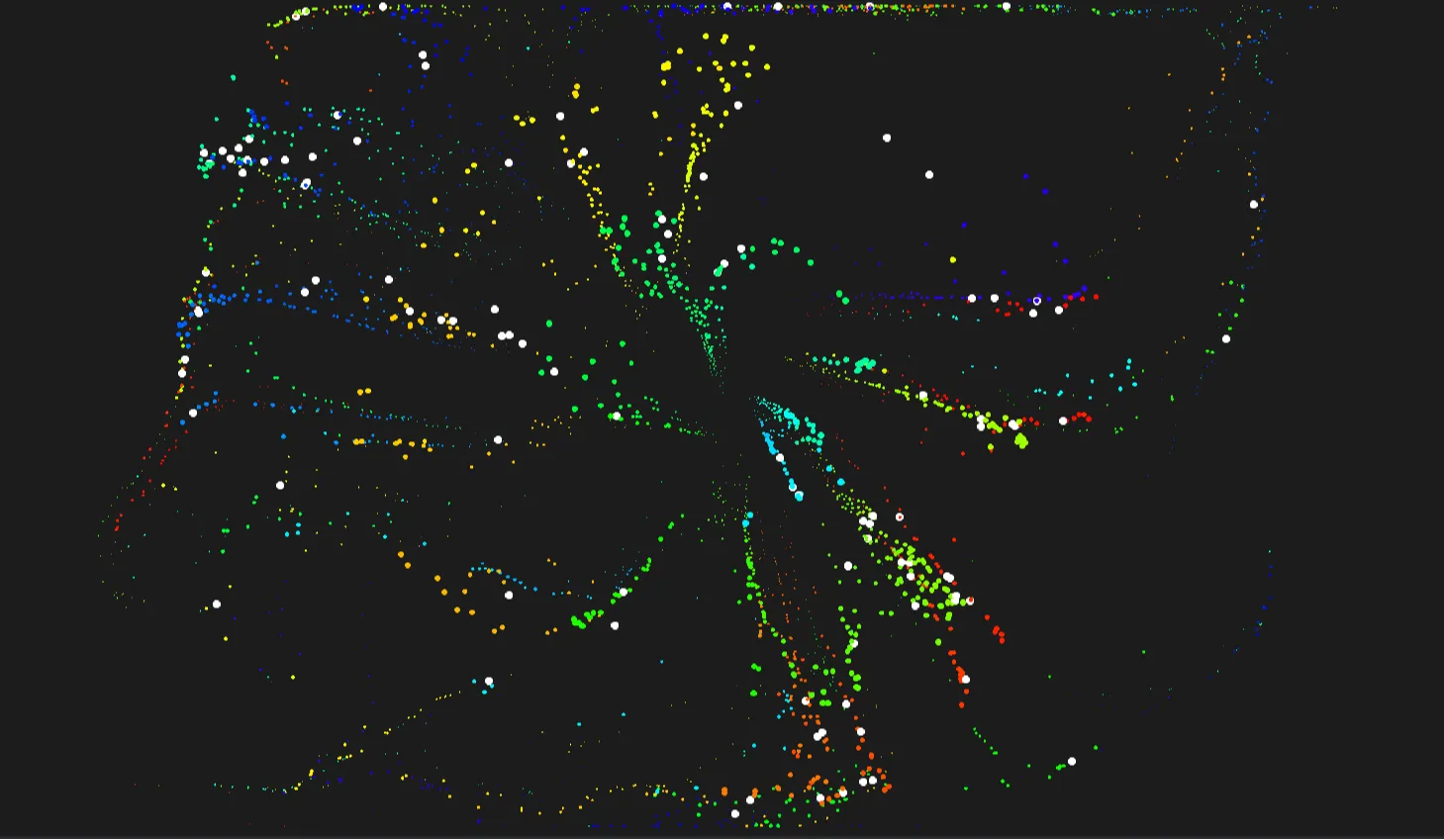
Rainbowluminescence is a cutting-edge interactive WebGL canvas experience engineered with Three.js, Bootstrap 5, HTML5, CSS3, and modern JavaScript. Designed specifically for modern web applications, this open-source showcase demonstrates how high-performance 3D visual graphics, dynamic volumetric lighting, and interactive particle shaders can seamlessly integrate into standard responsive frontend layouts without compromising accessibility or page rendering speeds.
In modern web development, creating immersive user interfaces that instantly captivate visitors while maintaining crisp 60 FPS performance is a persistent challenge. Standard 2D UI components often feel flat and uninspiring, whereas full-screen 3D graphics frequently suffer from bloated asset sizes, heavy CPU/GPU overhead, and poor mobile responsiveness. Rainbowluminescence directly solves this dilemma by presenting a lightweight, modular, and optimized WebGL viewport wrapped within a flexible Bootstrap 5 layout.
Engineered for developers, students, UI/UX designers, and frontend architects, Rainbowluminescence serves both as a ready-to-deploy visual background asset and an educational reference architecture. It breaks down complex WebGL math, camera setups, ambient lighting calculations, and user interaction event listeners into clean, readable JavaScript modules. Whether you are aiming to elevate an enterprise landing page, craft a standout portfolio hero section, or learn how matrix transformations operate inside the canvas element, this project provides a solid, field-tested foundation.
By leveraging native JavaScript animations alongside Three.js visual pipelines, Rainbowluminescence eliminates third-party runtime bloat. Developers can inspect, modify, and extend every shader variable, geometry vertex, and color palette with minimal friction, delivering high-impact visual experiences across all device form factors and modern desktop browsers.
Key Features
1. Real-Time 3D Rendering
Powered by Three.js WebGL Renderer, rendering smooth volumetric luminescent geometry with dynamic light absorption and reflection.
2. Responsive WebGL Viewport
Automatically adjusts aspect ratio, camera viewports, and field of view (FOV) upon window resize without visual distortion.
3. Custom Shader Pipelines
Utilizes lightweight GLSL fragment and vertex shaders to generate shimmering, multi-spectral rainbow gradient glows efficiently.
4. Bootstrap 5 UI Controls
Integrated with floating control panels and sliders that allow user adjustments to speed, density, and color thresholds in real time.
5. Mouse & Touch Interaction
Features pointer interaction events that bend, warp, and illuminate particles directly beneath the user's cursor or touch point.
6. Frame-Rate Optimization
Uses requestAnimationFrame loop architecture to lock performance at 60 FPS while throttling off-screen rendering cycles.
7. Modular JavaScript Code
Structured in decoupled ES6 modules, separating scene creation, lighting setups, geometry definitions, and UI listeners.
8. Accessible DOM Overlays
Designed with WCAG compliant text overlays and screen-reader accessible control markup layered cleanly over the 3D canvas.
Technologies Used
HTML5: The foundational document structure is built using HTML5 semantic elements such as <main>, <section>, <header>, and <canvas>. By providing strict structural hierarchy and ARIA roles, the HTML5 layer ensures that screen readers and indexing bots can easily parse content around the hardware-accelerated 3D WebGL context.
CSS3: Custom CSS3 stylesheets deliver smooth visual transitions, glassmorphism UI card styling, backdrop filters, and overlay z-index management. Advanced CSS custom properties (variables) are integrated to harmonize color palettes between the WebGL canvas output and standard DOM HTML components seamlessly.
Bootstrap 5: As the primary frontend framework, Bootstrap 5 handles grid layouts, responsive breakpoints, typography spacing, and utility classes. It ensures that controls, sidebars, hero titles, and modal dialogs retain structural integrity across mobile screens, tablets, and widescreen desktop monitors without requiring custom media queries.
JavaScript (ES6+): Modern vanilla JavaScript serves as the core application engine. It handles DOM manipulation, event throttling, dynamic module imports, state updates, and parameter calculations. Free from heavy framework overhead like React or Angular, the pure JS architecture guarantees fast execution and easy integration into existing web stacks.
Three.js (WebGL Abstraction): Three.js drives the hardware-accelerated 3D graphics rendering engine. It manages the perspective camera, scene graph hierarchy, ambient and directional lights, geometry buffers, custom GLSL materials, and frame update loops to render realistic rainbow luminescence in real time.
How It Works
The operational mechanics of Rainbowluminescence are designed around a decoupled graphics pipeline that bridges standard browser DOM events with GPU hardware acceleration. Understanding these mechanics makes customizing and scaling the project straightforward.
- Scene & Camera Initialization: The core JavaScript script instantiates a
Three.Scene()object alongside aThree.PerspectiveCamera(). The camera field of view is configured to align with standard web hero proportions, establishing a realistic depth-of-field perspective. - WebGL Renderer Attachment: A
Three.WebGLRenderer()is created with anti-aliasing and alpha transparency enabled. It targets an explicit HTML5<canvas>element positioned absolutely behind the foreground text container. - Geometry & Shader Construction: A custom particle cloud or parametric mesh geometry is generated. Custom vertex and fragment shaders apply mathematical sine/cosine offset functions to simulate wave movement and color spectrum shifts.
- Lighting & Bloom Pass: Directional light sources combined with ambient rim lighting cast dynamic highlights across particle vertices, creating an organic iridescent "luminescence" effect.
- Event Driven Render Loop: Pointer move events update normalized mouse coordinates (X, Y). The render loop interpolates object rotation and camera angles toward these coordinates via smooth vector lerping (linear interpolation) at 60 frames per second.
Benefits
| Target User | Primary Advantage | Key Value Delivered |
|---|---|---|
| Students | Practical WebGL Learning | Gasp real-world application of Three.js math, GLSL shaders, camera matrices, and render loops through clear commented code. |
| Developers | Plug-and-Play Boilerplate | Save dozens of engineering hours by using a pre-configured, battle-tested 3D canvas background template that easily embeds into existing projects. |
| Designers | Visual Innovation | Elevate digital brand presence with dynamic, interactive visual effects that traditional video or GIF assets cannot match in quality or scalability. |
| Freelancers | Higher Value Client Delivery | Offer enterprise-grade visual experiences to clients, commanding premium rates without sacrificing project timelines or performance metrics. |
| Portfolio Creators | Instant Portfolio Standout | Capture recruiter attention instantly with a high-impact interactive hero section that highlights modern frontend mastery. |
Real World Use Cases
1. SaaS Landing Page Hero Section
Replace static vector illustrations with an interactive luminescent background that responds to user scroll and cursor movements.
2. Digital Agency Showcases
Demonstrate technical creative capabilities to high-ticket clients seeking custom interactive marketing experiences.
3. Crypto & Web3 Dashboard Headers
Enhance fintech and blockchain interfaces with high-tech visual aesthetics reflecting modern digital assets.
4. Interactive Music & Audio Visualizers
Bind audio frequency data from the Web Audio API directly to the luminescence shader intensity for real-time sound visualization.
5. Gaming & Esports Event Portals
Build immersive tournament homepages featuring futuristic glowing energy grids and interactive ambient particle fields.
6. Creative Developer Resumes
Highlight advanced JavaScript, WebGL, and math proficiency on personal portfolio sites to stand out in competitive job markets.
7. E-Commerce Product Launch Covers
Construct captivating preview teasers for physical luxury products, tech gadgets, or fashion collection drops.
8. Interactive Educational Dashboards
Teach physics principles, light refraction, wave functions, and visual mathematics through interactive slider parameter controls.
Performance & SEO Optimization
Integrating complex 3D WebGL graphics into a website often risks degrading Core Web Vitals if executed incorrectly. Rainbowluminescence is architected from the ground up to maintain top-tier performance metrics and search visibility.
- Fast Loading & Low Footprint: By leveraging procedural math geometry rather than heavy 3D asset files (.gltf / .obj), initial network payload remains under 50KB for project scripts.
- Adaptive Mobile Responsiveness: Pixel ratio capping (
Math.min(window.devicePixelRatio, 2)) ensures mobile GPUs are not overwhelmed by unnecessary high-density rendering requests. - Strict Accessibility (a11y): Content text layers remain fully readable in DOM HTML. Canvas element is assigned
aria-hidden="true"so screen readers focus purely on semantic text markup. - Clean Modular Architecture: Zero inline style clutter or global namespace pollution. Functions are isolated within scoped ES modules for maintainability.
- Semantic HTML Parsing: Clean document outline allows Google search bots to effortlessly crawl structural tags, headings, and metadata descriptions.
Customization Guide
Modifying Rainbowluminescence to fit your project branding takes only a few minutes. Here is how you can customize core parameters:
1. Changing Color Palettes & Gradient Luminescence
Locate the material color configuration inside main.js. Update uniform vectors in the custom shader material to match your target hex color scheme or alter ambient light RGB values.
2. Adjusting Animation Speed & Wave Frequency
In the requestAnimationFrame render loop, multiply elapsed time incrementors (e.g., clock.getElapsedTime() * 0.5) to speed up or slow down particle motion.
3. Modifying Layout & Bootstrap 5 Containers
Adjust Bootstrap grid classes in index.html. Change container widths (e.g., .container-fluid vs .container) to position UI controls adjacent to or over the canvas.
4. Updating Custom Fonts & Typography
Import custom Google Fonts inside style.css and assign font families to standard Bootstrap heading classes or overlay text blocks without disrupting WebGL canvas layers.
5. Extending WebGL UI Components
Add standard Bootstrap buttons or range sliders. Bind JavaScript addEventListener('input') triggers to update WebGL uniform values dynamically in real time.
Who Should Use This Project?
Frontend Engineers: Looking for clean, unopinionated codebases combining modern UI frameworks like Bootstrap 5 with advanced WebGL graphics drivers.
UI/UX Designers & Creative Developers: Eager to prototype interactive web concepts and explore spatial dynamic layouts that stretch beyond typical flat Web design boundaries.
Computer Science & Web Bootcamp Students: Seeking real-world open-source codebases to study 3D math transformations, event management, and performance tuning firsthand.
Digital Agencies & Freelancers: Requiring rapid, production-grade template assets to deliver visually striking client landing pages on competitive timelines.
Conclusion
Rainbowluminescence bridges the gap between hardware-accelerated 3D graphics and modern, accessible web development standards. By combining the rendering capabilities of Three.js with the layout efficiency of Bootstrap 5, this open-source showcase proves that high-performance WebGL visual experiences can be lightweight, responsive, and SEO-friendly.
Whether you want to incorporate iridescent visual effects into a commercial SaaS product, master GLSL shader fundamentals, or build an unforgettable portfolio, Rainbowluminescence provides the code quality and structural foundation needed to succeed. Download the source, experiment with the shader controls, and elevate your web projects today.
Frequently Asked Questions
How does this project work?
Rainbowluminescence uses Three.js to initialize a WebGL canvas overlay, rendering custom particle shaders and lighting vectors that respond dynamically to pointer events and viewport resizes.
Can beginners learn from this project?
Yes. The codebase features modular structure and clear inline comments explaining scene initialization, lighting, camera math, and DOM interaction hooks step-by-step.
Is it mobile responsive?
Fully. Bootstrap 5 manages UI text and control grids, while responsive camera calculations resize the WebGL canvas smoothly across mobile, tablet, and desktop screens.
Can I use it commercially?
Yes, Rainbowluminescence is published under open-source software terms on CodeTap, allowing free use in personal, client, and commercial applications.
How do I customize it?
You can customize colors, particle density, wave speed, and layout controls directly inside `main.js` and `style.css` by modifying uniform variables and Bootstrap classes.
Does it require Bootstrap?
While Bootstrap 5 provides responsive layout grids and pre-styled UI controls out-of-the-box, the core Three.js JavaScript canvas engine can operate independently if needed.
Is JavaScript required?
Yes, modern JavaScript (ES6+) is necessary to run Three.js scene graphs, execute render loops, compute shader math, and handle interactive user controls.
Can I add this to my portfolio?
Absolutely. You are encouraged to customize the visual assets, extend the shader functionality, and showcase your modified version on personal portfolio platforms.
Download is Locked
Please scroll down to view the full page and unlock the download link.
Your Download is Ready
Click the button below to retrieve the project source code.
More Related Items by CodeTap
View All


