Sphere Packing 3D – Interactive Three.js Visualization
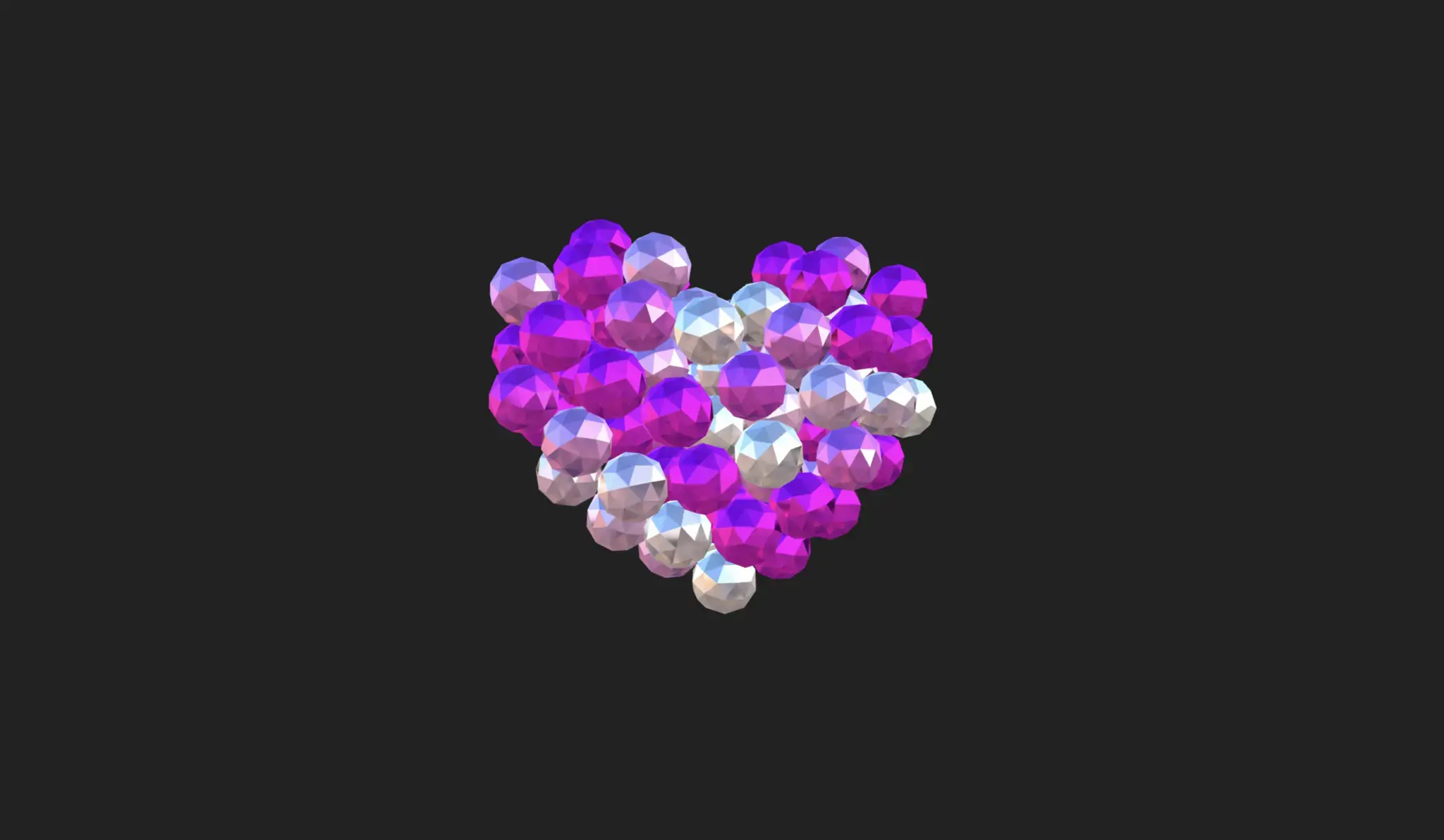
The Sphere Packing 3D project is an advanced interactive visualization built using Three.js, HTML, CSS, and JavaScript. It demonstrates how spheres can be dynamically placed and packed within a 3D space while maintaining non-overlapping constraints, creating a visually engaging and mathematically inspired animation.
Powered by WebGL through Three.js, this project showcases real-time rendering, smooth animations, and spatial logic. It’s ideal for developers interested in 3D graphics, physics-based simulations, and creative coding in modern web applications.
Project Highlights
- Dynamic 3D sphere packing simulation
- Built using Three.js and WebGL for real-time rendering
- Smooth animations with realistic spatial distribution
- Collision detection to prevent overlapping spheres
- Interactive camera controls for 360° viewing
- High-performance rendering optimized for modern browsers
- Customizable sphere sizes, colors, and density
- Responsive canvas rendering across devices
Use Cases
- 3D visualization and WebGL demonstrations
- Educational tools for geometry and spatial algorithms
- Creative coding and generative art projects
- Portfolio projects showcasing Three.js skills
- Interactive UI experiments with 3D elements
- Simulation-based web applications
Technology Stack
- HTML5 for structuring the canvas container
- CSS3 for layout and responsive design
- JavaScript for logic and interaction handling
- Three.js for 3D rendering and scene management
- WebGL for hardware-accelerated graphics
Additional Features & Tips
- Add GUI controls (e.g., dat.GUI) for live parameter tuning
- Experiment with different packing algorithms
- Enable lighting and shadows for realistic depth
- Add color gradients or textures to spheres
- Optimize performance using requestAnimationFrame
- Implement pause/resume simulation controls
- Ensure mobile compatibility with touch controls
- Use instancing for rendering large numbers of spheres efficiently
Tip: This project is ideal for developers exploring 3D graphics, WebGL, and creative coding using Three.js to build interactive and visually rich web experiences.
Download is Locked
Please scroll down to view the full page and unlock the download link.
Your Download is Ready
Click the button below to retrieve the project source code.