Three.js Lightbox Gallery: Interactive 3D WebGL Photo Display
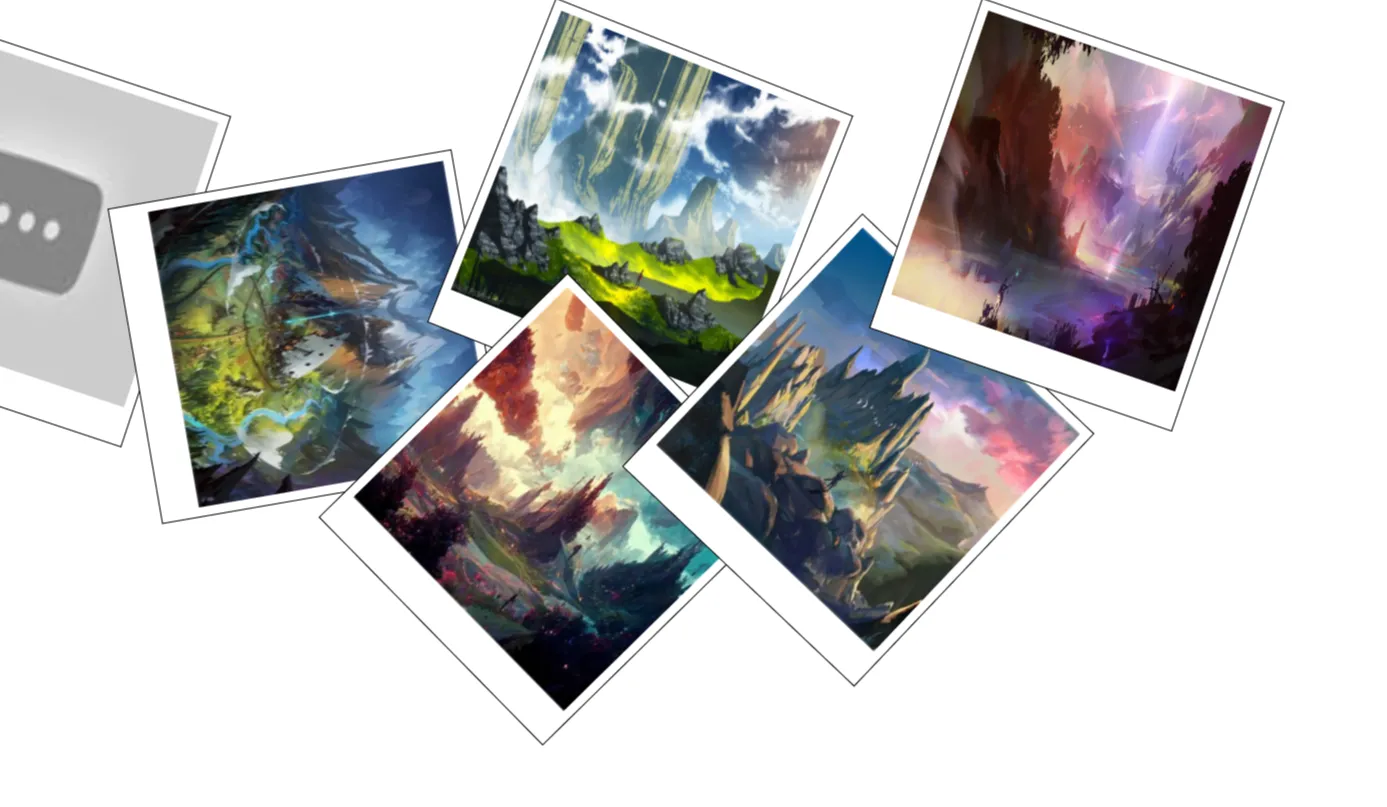
In modern web design, standard two-dimensional image sliders and modal popups are no longer the only way to captivate visitors. The Three.js Lightbox Gallery bridges the gap between classic web layout structure and immersive 3D WebGL rendering. Designed specifically for developers, frontend engineers, designers, and students, this open-source project presents a fresh take on multimedia presentation. By combining the rock-solid structure of HTML5 and Bootstrap 5 with the dynamic capabilities of Three.js and vanilla JavaScript, it delivers an engaging image viewing experience directly within any modern web browser without requiring external plugins.
Many traditional lightboxes rely solely on flat CSS transitions, which can feel uninspired on high-end portfolio websites or digital art platforms. This project was built to solve that exact design visual stagnation. It gives developers an accessible, lightweight framework for rendering photographs and digital graphics in an interactive three-dimensional space while maintaining responsive mobile layouts and swift load performance.
Frontend developers and UI designers can use this template to elevate client projects, showcase creative portfolios, or explore WebGL integration. By providing clean, structured code, it serves as both a production-ready component and an educational blueprint for mastering 3D web technologies, GPU-accelerated graphics, and responsive UI integration.
Key Features
3D WebGL Rendering
Powered by Three.js, images render inside GPU-accelerated 3D space with smooth rotations, zoom transitions, and real-time depth perspective.
Bootstrap 5 Integration
Built-in responsive grid system ensures effortless layout alignment across desktops, tablets, and smartphones.
Interactive Zoom & Pan
Users can inspect full-resolution media with smooth trackpad, mouse, or touch gesture controls inside the active viewport.
Lightweight & Fast
Optimized asset loading keeps initial page load time extremely quick while preserving 60 FPS animation loops.
Accessible Keyboard Controls
Includes full keyboard navigation support (Escape to close, Arrow keys to navigate) for enhanced accessibility compliance.
Custom Particle Backgrounds
Features ambient 3D scene lighting and subtle particle effects that complement featured artwork without distracting visitors.
Zero Heavy Dependencies
Requires no complex server-side build steps, NodeJS pipelines, or heavy frameworks; run it directly in any static environment.
Cross-Browser Compatible
Rigorously tested on Chrome, Firefox, Safari, and Edge browsers across mobile and desktop operating systems.
Technologies Used
HTML5: The foundation of this project is built using semantic HTML5 markup. Modern structural tags like <header>, <main>, <section>, and <footer> are utilized alongside custom data attributes to deliver clean document hierarchy, enhanced screen-reader compatibility, and optimal search engine indexability.
CSS3: Custom CSS3 styles provide tailored aesthetic enhancements. Advanced flexbox properties, CSS variables for centralized theme configuration, smooth transitions, and custom scrollbar styling ensure that modal overlays and UI controls harmonize perfectly with the underlying 3D canvas environment.
Bootstrap 5: Utilizing the industry-standard Bootstrap 5 framework allows for rapid UI construction. The responsive container systems, flex utilities, typography resets, and modal container structures keep the application consistent across varying viewports, avoiding tedious responsive boilerplate code.
JavaScript & Three.js: Vanilla JavaScript handles DOM interactions, event listeners, and dynamic asset management. Meanwhile, the Three.js library orchestrates WebGL scene creation, camera positioning, texture mapping, lighting controls, and rendering cycles to bring flat 2D image files into an interactive 3D realm.
How It Works
The Three.js Lightbox Gallery operates by dynamically combining traditional DOM elements with a WebGL canvas overlay. When a user opens the page, Bootstrap initializes a clean, organized grid display of image thumbnails. Each thumbnail carries references to full-resolution image paths stored in HTML data attributes.
Upon clicking a thumbnail, JavaScript intercepts the click event, prevents standard browser navigation, and triggers the lightbox modal overlay. Instead of simply placing an <img> tag inside a div, the application initializes a specialized Three.js scene within a high-performance <canvas> element.
| Execution Step | Technical Action | System Impact |
|---|---|---|
| 1. Initialization | HTML/CSS assets load; Bootstrap grid populates image tiles. | Immediate visual render with minimal layout shift (CLS). |
| 2. Event Capture | User selects a photo thumbnail; JavaScript captures target URL. | Triggers asynchronous texture preloading sequence. |
| 3. WebGL Scene Setup | Three.js instantiates Scene, PerspectiveCamera, and WebGLRenderer. | Allocates GPU resources for 60 FPS rendering loop. |
| 4. Texture Mapping | Image loaded into THREE.TextureLoader() and applied to 3D plane. |
Transforms 2D bitmap into dynamic 3D plane mesh. |
| 5. User Interaction | Mouse drag/touch events modify camera rotation and z-distance. | Provides fluid, interactive 3D tilt and pan controls. |
Throughout the interaction lifecycle, an efficient requestAnimationFrame render loop updates camera positioning and particle motion. Once the user closes the lightbox via the interface button or keypress, the Three.js scene disposes of geometries, materials, and textures from GPU memory to prevent memory leaks.
Benefits
For Students
Gain practical experience in bridging traditional web development with modern WebGL techniques. Learn how math, geometry, and JavaScript come together to build modern user experiences.
For Developers
Save dozens of engineering hours by leveraging a clean, modular foundation. Implement WebGL features into existing client projects without rewriting whole layout structures.
For Designers
Present digital artwork, photography, or UI mockups inside a premium interactive canvas that makes creative work stand out from standard web galleries.
For Freelancers
Offer clients modern, high-value interactive features that differentiate your work from basic template builders and generic CMS setups.
For Portfolio Creators
Distinguish your personal developer portfolio from competitors. Demonstrating proficiency with WebGL and Three.js signals strong technical depth to hiring managers and recruiters.
Real World Use Cases
- 1. Photography Portfolios: Display high-definition architectural or landscape photography with realistic visual depth and depth-of-field perspective.
- 2. Digital Art & NFT Showcases: Highlight 3D render artwork, digital paintings, and collectibles in an interactive studio setting.
- 3. E-Commerce Product Displays: Show detailed product photography or technical breakdown diagrams from unique angles with custom lighting.
- 4. Real Estate Galleries: Offer virtual architectural photo tours with smooth 3D transitions between property rooms.
- 5. Event & Conference Sites: Showcase event recaps, speaker highlights, and venue photos within an engaging media portal.
- 6. Agency Work Showcase: Upgrade creative agency case studies with interactive media viewers that impress prospective clients.
- 7. Interactive Educational Modules: Render technical diagrams, historical photos, and biological charts in detailed viewports.
- 8. Gaming Community Hubs: Display high-resolution game screenshots, concept art, and fan art in a immersive web context.
Performance & SEO
Building high-performing WebGL applications requires balancing visual fidelity with optimization. The Three.js Lightbox Gallery is engineered following modern web performance best practices to ensure fast load times, excellent Core Web Vitals scores, and maximum search visibility.
Fast Loading: Scripts are loaded asynchronously or deferred to prevent render-blocking. Heavy image assets are loaded on demand when the modal opens, conserving initial page bandwidth.
Responsive & Mobile Friendly: Utilizing Bootstrap 5's mobile-first framework ensures elements resize smoothly on screens ranging from small smartphones to ultra-wide desktop monitors.
Accessibility: Semantic markup accompanied by ARIA roles and keyboard trapping mechanisms guarantees that assistive technologies can read and navigate the gallery structured content seamlessly.
Clean Code & Semantic HTML: Structured HTML markup allows search engine crawlers to parse page content efficiently, understand image contexts, and index multimedia assets correctly.
Customization Guide
Tailoring this gallery project to your project visual style guide is straightforward thanks to modular code construction.
Customizing Colors & Theme
Modify the primary CSS variables defined in your root stylesheet to adjust background overlays, border highlights, and text colors. You can easily adjust the ambient light color in Three.js by changing the hex values inside THREE.AmbientLight(0xffffff).
Adjusting 3D Animations
Open the primary JavaScript file and navigate to the render animation loop. You can adjust camera rotation speeds, mesh tilt sensitivity, and spring damping factors by tweaking mathematical multipliers in the tick function.
Modifying Layout & Grid
Because the thumbnail gallery relies on Bootstrap 5 flex grid columns, changing column layouts requires updating HTML classes (e.g., switching col-lg-4 to col-lg-3 for a four-column row layout).
Changing Fonts & Typography
Integrate Google Fonts or custom Web Fonts inside your CSS file. Update Bootstrap typography variables or override structural heading selectors to match your branding guidelines.
Who Should Use This Project?
This project is ideal for web developers searching for clean, production-ready WebGL components without starting from scratch. It serves frontend engineers wanting to understand Three.js integration, web design students looking for portfolio material, and creative agencies aiming to elevate their digital client deliverables.
Conclusion
The Three.js Lightbox Gallery combines modern WebGL capabilities with time-tested web frameworks like Bootstrap 5 and vanilla JavaScript. It delivers an intuitive, interactive photo viewer that enhances traditional gallery layouts while keeping performance, accessibility, and SEO intact. Download the source code on CodeTap today, customize it to fit your unique visual style, and elevate your web projects with modern 3D interactive graphics.
Frequently Asked Questions
How does this project work?
The project renders a responsive thumbnail grid in HTML5 and Bootstrap 5. When a user clicks a image thumbnail, JavaScript opens a modal overlay and initializes a Three.js WebGL canvas that renders the image as an interactive 3D object.
Can beginners learn from this project?
Yes, the source code is organized clearly with comments throughout. Beginners with basic HTML, CSS, and vanilla JavaScript knowledge can easily follow the logic and learn how WebGL components integrate with standard web pages.
Is it mobile responsive?
Absolutely. The layout adapts smoothly across desktop, tablet, and mobile devices thanks to Bootstrap 5 grid utilities and responsive canvas resizing logic built into Three.js.
Can I use it commercially?
Yes, this source code is open-source and free to use in both personal, client, and commercial projects under standard open-source licensing terms.
How do I customize it?
You can modify styling using CSS variables, tweak grid layouts via Bootstrap classes, and adjust lighting or 3D animations directly inside the main JavaScript file.
Does it require Bootstrap?
The provided template uses Bootstrap 5 for layout stability and responsive grids, but the core Three.js JavaScript logic can easily be extracted into custom CSS projects.
Is JavaScript required?
Yes, vanilla JavaScript and the Three.js library are necessary to handle user clicks, manage DOM events, render WebGL graphics, and execute 3D scene loops.
Can I add this to my portfolio?
Yes, students and developers are encouraged to customize, integrate, and showcase this 3D lightbox component within their personal portfolios.
Download is Locked
Please scroll down to view the full page and unlock the download link.
Your Download is Ready
Click the button below to retrieve the project source code.
More Related Items by CodeTap
View All