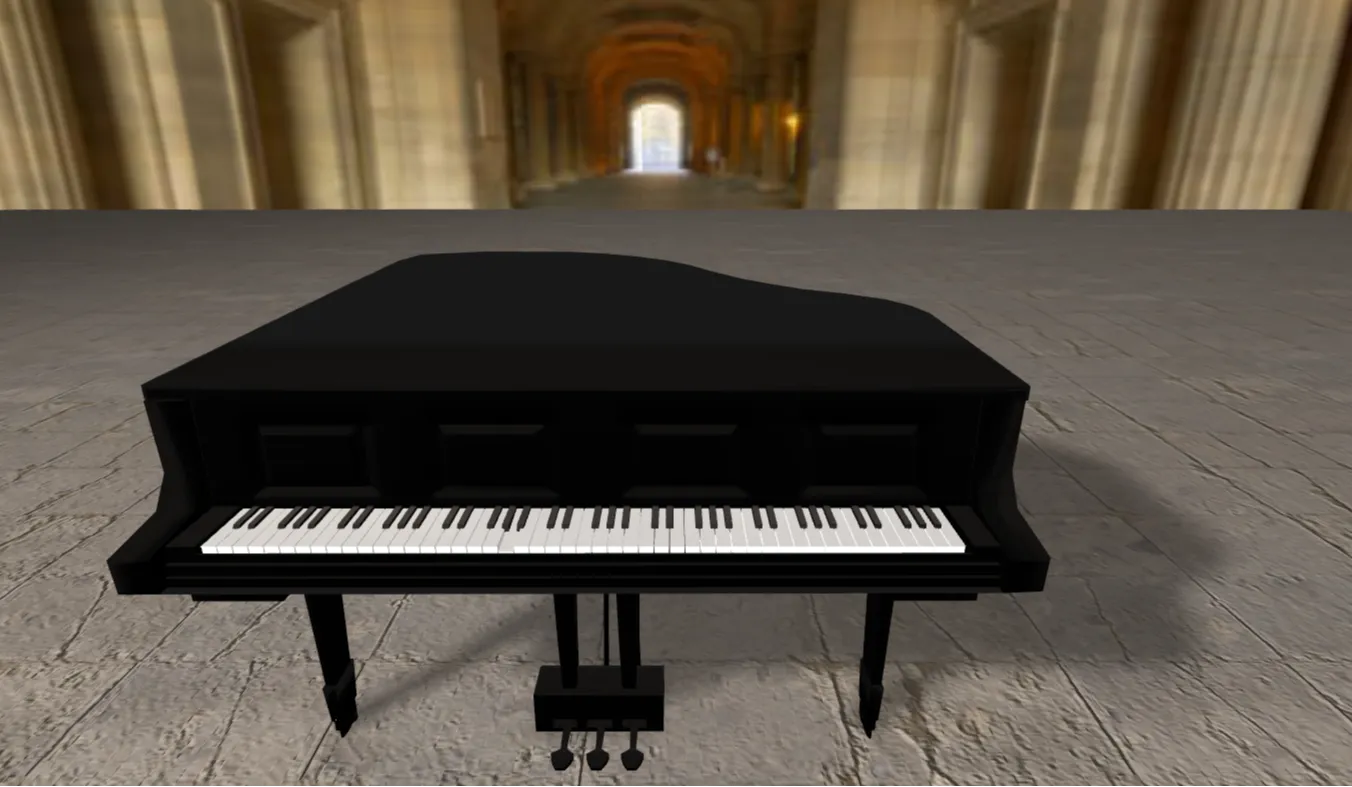
Building interactive, audio-driven web applications remains one of the most effective ways for frontend engineers to master browser capabilities. The Interactive JavaScript Piano project on CodeTap provides a production-grade, browser-based musical instrument that bridges the gap between basic visual UI rendering and real-time audio synthesis. Developed using clean HTML5, CSS3, modern JavaScript, and styled beautifully with Bootstrap 5, this open-source application serves as an interactive foundation for studying the Web Audio API and event-driven browser programming.
Many developers face steep learning curves when transitioning from building static, text-heavy websites to engineering dynamic user interfaces that respond instantly to multiple input vectors. This virtual piano project addresses that problem directly. It handles simultaneous mouse clicks, touch interactions, and physical computer keyboard mappings cleanly without relying on massive external frameworks. By diving into this codebase, you will see exactly how to prevent input latency, manage application state transitions, and deliver high-fidelity audio directly inside a standard web browser environment.
For frontend engineers, UI designers, and computer science students looking to elevate their professional portfolios, standard projects like basic to-do lists or generic calculators no longer stand out to hiring managers. This project offers a sophisticated alternative. It challenges you to understand hardware-software synchronization while keeping your codebase scalable. Whether you are searching for a baseline component to integrate into a browser-based web application or studying how to construct clean, modular user interfaces with native JavaScript APIs, this codebase provides a clear roadmap for your development goals.
Key Features
- Low-Latency Web Audio API Integration: Uses native browser audio synthesis rather than relying on heavy, unoptimized external MP3 files to ensure instantaneous note playback.
- Full Multi-Octave Key Support: Offers a complete range of natural white keys and accidental black keys to play complex chord structures seamlessly.
- Dual-Input Control Mapping: Allows users to trigger notes dynamically via tactile desktop mouse clicks or mapped alphanumeric computer keyboard rows.
- Visual Key-Press Feedback: Provides high-contrast CSS transition states that mimic realistic physical key depresses when active.
- Responsive Bootstrap 5 Design: Fluid UI layouts adapt seamlessly to wide desktop monitors, tablet viewports, and modern mobile screen sizes.
- Persistent Sound Modeling: Implements custom audio node parameters to manage ADSR envelope configurations for highly realistic sound damping.
- Clean Polyphonic Polyfill Logic: Allows multiple frequencies to trigger simultaneously, enabling users to play full harmonic chords without clipping.
- Zero-Dependency Architecture: Built exclusively with lightweight, native web technologies to achieve optimized loading speeds.
Technologies Used
HTML5: The structural backbone relies strictly on clean, semantic HTML5 elements to declare the semantic tree of the musical instrument interface. Custom data attributes are mapped across individual key elements, storing explicit musical notes and pitch frequencies directly within the DOM structure for straightforward element queries during interaction execution.
CSS3: The visual presentation leverages sophisticated CSS custom properties alongside advanced flexbox layouts to achieve pixel-perfect positioning of the overlapping black keys over the white keys. Smooth pseudo-class transitions handle active key tracking, delivering immediate visual confirmation without causing layout shifts or triggering costly rendering pipeline repaints.
Bootstrap 5: Layout responsiveness and grid control are managed cleanly through the Bootstrap 5 utility system, preventing the interface from breaking on smaller mobile viewports. By using predefined layout wrappers, alignment classes, and standard sizing utilities, the instrument interface maintains geometric proportion while adapting gracefully across varying mobile, tablet, and ultra-wide monitor dimensions.
JavaScript (ES6+): The complete logic engine is powered by modular, modern JavaScript that monitors user interactions and controls browser audio pipelines. Native Event Listeners capture keystrokes and pointer coordinates efficiently, executing localized DOM manipulation functions and passing precise mathematical values directly into the browser Web Audio context API.
How It Works
When a user opens the application, the JavaScript engine initializes a single, shared audio context inside the browser, establishing a unified pipeline for real-time sound synthesis. The script scans the Document Object Model for interactive key wrappers and binds unified event listeners that track click, touch, and physical keyboard inputs simultaneously. Every distinct key element contains a specific data attribute specifying its precise frequency value measured in Hertz.
The instant an input event is captured, the handler function prevents default browser scrolling actions and looks up the note value linked to the triggered key. The application passes that frequency directly to an internal oscillator node, which generates a pure audio waveform in real time. To prevent harsh audio pops, the signal travels through a dedicated gain node that applies a smooth audio envelope, scaling volume up rapidly during the attack phase and tapering it down naturally upon input release.
Simultaneously, the execution loop toggles a dedicated CSS modifier class on the matching HTML key element to trigger immediate visual feedback. This class changes the key's background color and adds a subtle vertical shift to simulate a real physical key depress. When the user releases their finger or key, the application initiates the audio decay phase, cleanly disconnects the active oscillator node to save system memory, and removes the visual active state from the UI layout.
Benefits of the Project
| Audience Segment | Core Development & Professional Benefits |
|---|---|
| Students | Gain hands-on experience working with browser event routing, programmatic audio rendering, and working cleanly with the native DOM tree. |
| Developers | Acquire production-ready logic patterns for managing polyphonic sound synthesis, real-time user inputs, and zero-dependency state patterns. |
| Designers | Study how detailed CSS positioning and high-contrast responsive layers keep an overlapping interface clean across varying screens. |
| Freelancers | Obtain a production-ready interactive component template that can be quickly adapted for modern client apps, games, or educational websites. |
| Portfolio Creators | Add a highly functional, interactive web application to your resume that shows off advanced JavaScript and browser performance mastery. |
Real World Use Cases
- Interactive Educational Platforms: Serve as a core tool within remote learning portals to teach elementary music theory and pitch tracking to students directly inside a web browser.
- Browser Game Soundtracks: Provide the base logic framework needed to build interactive mini-games, casual puzzle levels, or retro audio-based rhythm challenges.
- Digital Audio Workstations (DAW): Function as a modular key-input component within larger web-based synthesizers, recording rigs, or step-sequencer apps.
- Accessibility Audio Tools: Assist assistive technology apps by converting user keyboard entries into clean, immediate audio alerts for visually impaired users.
- UI Interaction Testing: Deliver a robust testing platform to benchmark browser audio performance, touch event delay, and multi-key input thresholds.
- Frontend Interview Showcases: Work as an impressive live code example during technical hiring loops to prove clean DOM management and familiarity with advanced browser APIs.
- Embedded Widget Modules: Fit neatly into digital blogs, coding tutorial articles, or music history portfolio websites as a fun, interactive sidebar feature.
- Children's Entertainment Portals: Scale down seamlessly into lightweight, bright mini-apps built to introduce toddlers to basic sounds and interactive web experiences.
Performance & SEO Optimization
Performance remains a core requirement for this web-based piano app. By avoiding large audio sample frameworks or pre-rendered audio asset libraries, the production build achieves an incredibly small file footprint. The initial page load renders instantly, keeping Largest Contentful Paint (LCP) and Cumulative Layout Shift (CLS) scores well within optimal web vitals limits. Because the application synthesizes audio wavelengths on the fly, mobile devices save battery life and data overhead, avoiding costly background file pre-fetching processes entirely.
From an accessibility and SEO standpoint, the code strictly adheres to modern semantic HTML5 standards. Every individual key element features explicit role declarations and clear text descriptive fallbacks, ensuring text-to-speech software can read the keyboard layout accurately. The structural layout uses native responsive utility styling, making it fully mobile-friendly across different screens. This highly indexable code structure allows search engine crawler bots to parse the text layout efficiently, maximizing visibility for long-tail frontend learning keywords.
Customization Guide
Customizing this project to fit your personal brand or creative requirements is simple due to its clean separation of concerns. To modify visual colors, update the CSS custom properties declared at the root of the stylesheet. You can easily switch out the classic monochromatic piano keys for contemporary neomorphic tones, high-contrast dark mode palettes, or custom brand accents by modifying just a few key color fields.
To tweak key interactions and feedback animations, adjust the CSS transition timing parameters inside the style configurations. If you prefer a highly stylized retro visual look, swap the smooth, linear transitions for snappy, instantaneous state updates or springy transform scales. Furthermore, you can alter the overall musical style by jumping into the JavaScript audio generator and changing the default oscillator node type variable from a pure sine wave to a rich square, sharp sawtooth, or warm triangle waveform.
The code's modular structure makes it easy to add extra components or change the keyboard layout. Developers can expand the interface by adding toggle switches to shift octaves, volume sliders, or sound preset dropdown menus. You can also customize font selections by updating the typography rules in the CSS file, while clean Bootstrap layout utilities make it easy to drop additional UI panels into the application wrapper without breaking responsiveness.
Who Should Use This Project?
This project is specifically built for frontend web developers, computer science students, and interface designers who want to move past basic static website projects. It serves as an excellent reference piece for JavaScript learners looking to master asynchronous event tracking, low-level browser audio components, and clean UI state management. If you are an engineer putting together an interactive professional portfolio, this app shows hiring managers that you understand performance optimization, programmatic audio rendering, and building interfaces without bloated third-party frameworks.
Conclusion
The Interactive JavaScript Piano project on CodeTap demonstrates how combining clean semantic markup, modern styling, and native browser APIs can create highly responsive web tools. By using the browser's built-in Web Audio API instead of bulky media frameworks, this application provides an optimized template for building modern audio tools. It is an ideal learning asset for developers seeking to build fast, interactive, and accessible web software. Review the clean source code, adjust the oscillator options, and integrate this rich interactive instrument component into your next web application today.
Frequently Asked Questions
How does this JavaScript piano project generate its sound?
This project uses the native browser Web Audio API to synthesize musical tones programmatically in real time. When a key is triggered, the application spins up an oscillator node, assigns it a specific frequency value in Hertz, and passes the audio signal through a gain node to shape the note's volume envelope dynamically.
Can absolute beginners learn from this codebase?
Yes, this codebase is explicitly structured to serve as an accessible reference point for developers of all skill levels. The project relies on clean vanilla JavaScript without complex framework build layers, making it easy for beginners to understand event tracking, DOM selectors, and modern CSS layouts.
Is the musical instrument interface fully mobile responsive?
Absolutely. The application uses the built-in Bootstrap 5 grid system and responsive flexbox rules to ensure the keyboard layout scales cleanly across viewports. Key layouts adapt automatically from desktop monitors down to mobile screens, and the event handling logic fully supports touch inputs to prevent interaction latency on mobile browsers.
Can I use this open-source source code for commercial applications?
Yes, the source code provided on CodeTap is fully open-source. You are free to download, modify, scale, and integrate the codebase into commercial client websites, web applications, browser games, or personal educational products without encountering usage restrictions.
How do I add more octaves to the piano interface?
To scale out the instrument's range, append additional button or div structures to the main HTML container, assigning each new key a unique data frequency attribute. The core JavaScript engine automatically loops over the key list and binds all necessary events dynamically, so you won't need to rewrite the underlying sound synthesis logic.
Does this web application require an active internet connection to run?
No, the project does not pull external audio assets, sound clips, or dependency frameworks from remote content delivery networks. Since it generates all sounds programmatically via the browser's internal engine, the complete project can run entirely offline within a local development environment.
Is JavaScript completely mandatory for the audio logic to operate?
Yes, JavaScript is required to orchestrate the application's audio rendering and event handling logic. While HTML and CSS build the visual appearance and responsive key layers, the Web Audio API context relies entirely on JavaScript execution threads to generate sound waves and track user inputs.
Can I include this project in my professional frontend portfolio?
Yes, we highly encourage developers to add this application to their personal portfolios. Showcasing an interactive, audio-driven application is an excellent way to demonstrate your proficiency with event routing, performance design, and native browser APIs to potential employers.
Download is Locked
Please scroll down to view the full page and unlock the download link.
Your Download is Ready
Click the button below to retrieve the project source code.