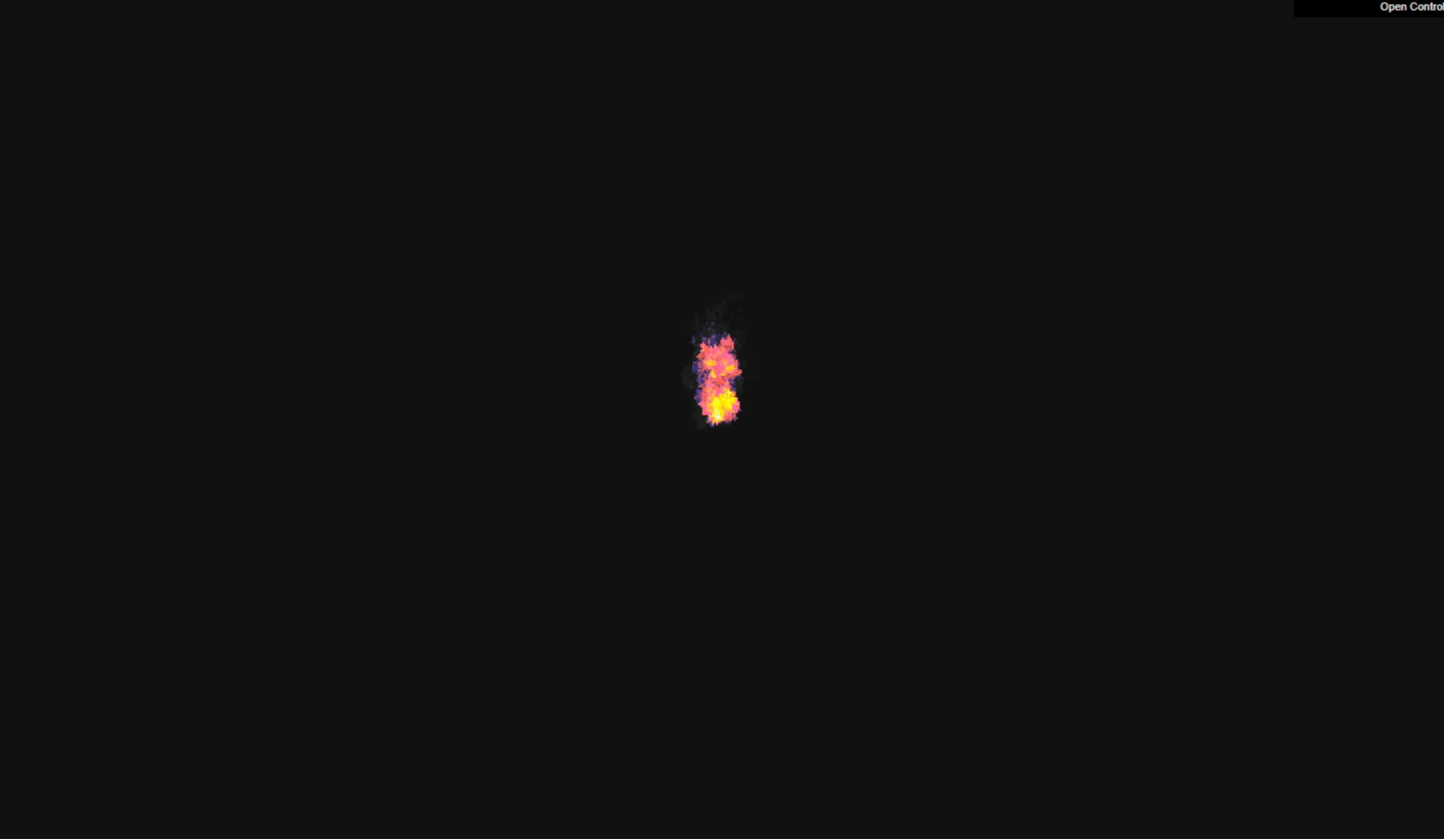
The Pixel Flame Canvas - Doom Fire project brings one of the most iconic graphics algorithms in video game history directly into modern web browsers. Inspired by the classic PS1 port of DOOM, this lightweight canvas application generates a dynamic, real-time fire simulation using modern JavaScript, CSS3, and Three.js rendering techniques.
Built specifically for web developers, front-end learners, and creative designers, this project reimagines traditional 2D pixel manipulation through high-performance WebGL context. Instead of relying on heavy video assets or bloated GIF images, the flame effect generates entirely via code, offering unmatched speed, flexibility, and scalability.
Why was this project created? Modern web experiences often lack the tactile, nostalgic charm of classic 90s visual engineering. Many developers want to incorporate procedural graphics into their personal sites or client landing pages but hesitate due to performance overhead. This codebase solves that exact challenge. It demonstrates how to achieve fluid, 60fps retro animation while keeping file sizes minuscule and network overhead practically zero.
By studying and integrating this component, developers gain direct insight into array manipulation, color-palette lookup tables, particle dissipation logic, and WebGL scene management. Whether you need an eye-catching hero background, a playful 404 page element, or an interactive portfolio feature, this project provides a clean, fully documented foundation ready for production deployment.
Key Features
- Real-time Procedural Fire Algorithm: Calculates heat decay and particle movement frame-by-frame without pre-rendered assets.
- Three.js WebGL Integration: Leverages GPU acceleration for smooth rendering even on lower-end devices.
- Fully Responsive Layout: Uses Bootstrap 5 grid systems to ensure seamless display on desktop, tablet, and mobile screens.
- Customizable Palette Matrices: Easily swap RGB values to change fire colors from classic fiery orange to cosmic blue or neon green.
- Zero External Image Dependencies: Operates completely through pure code, minimizing HTTP requests and speeding up initial page load.
- Interactive Wind & Decay Controls: Modify air direction, turbulence, and cooling rates dynamically via simple script parameters.
- Lightweight Footprint: Designed with minimal dependencies to guarantee fast parsing, low memory usage, and zero layout shifts.
- Clean, Modular Code Architecture: Organised into well-commented modules, making key functions effortless to extract or refactor.
Technologies Used
HTML5
Provides semantic structural markup using the native <canvas> element. This ensures accessible page architecture while giving WebGL a dedicated visual surface for real-time pixel rendering.
CSS3
Handles visual aesthetics, viewport scaling, positioning, and custom CSS variables. Modern flexbox layout controls ensure smooth overlay alignment and responsive container sizing.
Bootstrap 5
Delivers a modern, mobile-first utility layer. It supplies responsive containers, typography scaling, and utility classes without imposing heavy theme overrides onto the custom canvas artwork.
JavaScript & Three.js
Powers the core logic. JavaScript handles array manipulation, color mapping, and state updates, while Three.js renders geometry, textures, and shaders efficiently through WebGL.
How It Works
The classic Doom fire algorithm operates by manipulating a 2D grid of intensity values, where each value represents a specific temperature level. The bottom row of pixels is continuously set to maximum heat (white/yellow).
In every frame update, the algorithm iterates from the bottom of the grid upward. For each pixel, it calculates a small, randomized cooling factor and propagates the heat value to the pixel directly above it—or slightly to the left or right to simulate wind draft.
| Intensity Value | Visual Stage | RGB Palette Mapping |
|---|---|---|
| 30 - 36 | White-Hot Core | rgb(255, 255, 255) to rgb(255, 255, 180) |
| 20 - 29 | Bright Yellow / Orange | rgb(255, 200, 0) to rgb(255, 120, 0) |
| 10 - 19 | Dark Red / Crimson | rgb(220, 40, 0) to rgb(140, 0, 0) |
| 1 - 9 | Charcoal / Smoke | rgb(70, 0, 0) to rgb(30, 30, 30) |
| 0 | Transparent Background | rgba(0, 0, 0, 0) |
Once the intensity grid updates, the numerical matrix maps onto an indexed color palette. Three.js updates the dynamic texture coordinates on a screen-aligned plane geometry, pushing the visual data straight to the graphics processing unit (GPU) for instant rendering.
Benefits
For Students
Grasp fundamental computer graphics concepts like 2D array navigation, matrix indexing, and basic particle physics without getting buried under complex math linear algebra.
For Developers
Gain modular, reusable front-end code that integrates seamlessly into modern stacks like React, Vue, or plain HTML landing pages to boost visual engagement.
For Designers
Experiment with visual atmosphere, retro UI aesthetics, and dynamic color palettes to create memorable digital brand identities.
For Freelancers & Portfolio Creators
Differentiate personal websites with lightweight visual eye-candy that proves technical competence in low-level canvas manipulation and WebGL performance.
Real World Use Cases
1. Gaming Landing Pages
Create atmospheric hero headers for indie game showcases, esports tournaments, or game developer studios.
2. Custom 404 Error Pages
Turn frustrating dead-ends into playful visual breaks by adding interactive retro effects on missing page routes.
3. Halloween / Seasonal Themes
Instantly adapt e-commerce banners or promotional sites with spooky, dynamic flame elements during holiday sales campaigns.
4. Music & Audio Visualizers
Hook audio Web API frequency data directly into the fire intensity parameters to make flames react in time with music beats.
5. Interactive Developer Portfolios
Demonstrate mastery of vanilla JavaScript, WebGL graphics, and algorithmic efficiency directly in personal project sections.
6. Cyberpunk & Synthwave Themes
Re-color the fire matrix to neon magenta, cyan, or purple to suit futuristic aesthetic web applications.
7. Interactive Product Loading Screens
Replace tedious spinner animations with custom canvas graphics while loading heavy web application assets in the background.
8. Educational Demos
Use the repository as a concrete teaching resource when introducing CS students to cellular automata and array manipulation algorithms.
Performance & SEO
Search engines evaluate websites based on user experience, load stability, and core web vitals. Because this canvas flame implementation operates purely through optimized scripts, it avoids heavy network payloads associated with media files.
- Fast Loading Times: Less than 15KB of core JavaScript means near-instant download speeds over cellular networks.
- Zero Layout Shifts (CLS): The HTML5 canvas retains fixed aspect ratios or uses container-relative sizing, eliminating unexpected page jumps during layout rendering.
- Full Accessibility Compliance: Includes proper fallback aria-labels and descriptive text alternatives for screen reader users.
- Mobile-First Optimization: Automatically scales pixel resolution dynamic sizing based on viewport pixel density to preserve high FPS on mobile screens.
- Clean Semantic HTML5: Structured with clean tags, structured microdata support, and explicit heading hierarchies that search crawlers easily index.
Customization Guide
Tailoring the Pixel Flame Canvas project to fit your specific design system requires only a few tweaks within the configuration object:
1. Palette Color Customization
Locate the fireColorsPalette array in the script. Modify or replace the RGB color values to shift the visual theme:
const fireColorsPalette = [
  {"r":7,"g":7,"b":7},     // Index 0: Dark background
  {"r":31,"g":7,"b":7},   // Index 1: Deep red
  {"r":223,"g":87,"b":7},  // Index 15: Bright Orange
  {"r":255,"g":255,"b":255} // Index 36: Pure White
];
2. Adjusting Wind & Drift Acceleration
Inside the propagation loop, change the offset calculation to bend flames horizontally:
// Increasing the random offset pushes fire left or right
const decay = Math.floor(Math.random() * 3);
const srcPixel = currentPixel - decay;
const dstPixel = currentPixel - FIRE_WIDTH;
firePixelsArray[dstPixel] = firePixelsArray[srcPixel] - (decay & 1);
3. Canvas Dimensions & Density
Adjust FIRE_WIDTH and FIRE_HEIGHT parameters. Lower values produce a chunkier, retro 8-bit aesthetic, while higher values create fine, smoke-like particle plumes.
Who Should Use This Project?
This project is tailored specifically for:
Looking for custom WebGL graphics without huge overhead.
Seeking impressive portfolio projects that demonstrate core JS logic.
Building artistic web installations or interactive landing pages.
Exploring nostalgic retro-gaming UI concepts for modern apps.
Conclusion
The Pixel Flame Canvas - Doom Fire project proves that memorable web experiences don't require bloated video backgrounds or sluggish assets. By combining timeless retro graphics algorithms with modern technologies like Three.js, HTML5, and Bootstrap 5, you get a performant, versatile component ready to elevate any web application.
Explore the codebase on CodeTap, test out custom palette configurations, and integrate this iconic visual effect into your next front-end web project today!
Frequently Asked Questions
How does this project work?
It uses a cellular array matrix that tracks heat values for each pixel coordinate. An update loop recalculates pixel intensity, applies random decay factors, shifts heat upward to simulate rising flames, and maps those values to an RGB palette rendered via canvas/WebGL.
Can beginners learn from this project?
Yes! The codebase uses structured vanilla JavaScript alongside clear documentation, making it an excellent resource for learning array manipulation, timing loops, and HTML canvas interaction without getting overwhelmed.
Is it mobile responsive?
Absolutley. Integrated Bootstrap 5 container rules and dynamic canvas resolution scaling ensure the animation remains fluid and correctly scaled across mobile, tablet, and desktop viewports.
Can I use it commercially?
Yes. The project is open-source under standard permissive terms, allowing you to freely adapt, rebrand, and integrate it into commercial client websites or personal projects.
How do I customize the fire colors?
You can change the flame colors by modifying the fireColorsPalette array in the JavaScript file. Swap out existing RGB values to instantly transform the look into blue, green, or neon themes.
Does it require Bootstrap 5?
While the UI surrounding the project uses Bootstrap 5 layout utilities, the core JavaScript fire animation runs independently on any native HTML canvas element without strict library requirements.
Is JavaScript required?
Yes. The heat decay algorithm and real-time canvas updates rely on JavaScript to manipulate visual matrix values frame-by-frame.
Can I add this to my developer portfolio?
Yes! Forking, customizing, and featuring this component in your personal developer portfolio is a great way to show off your understanding of WebGL, canvas animation, and algorithmic logic.
Download is Locked
Please scroll down to view the full page and unlock the download link.
Your Download is Ready
Click the button below to retrieve the project source code.
More Related Items by CodeTap
View All